A phone you can use without reading.
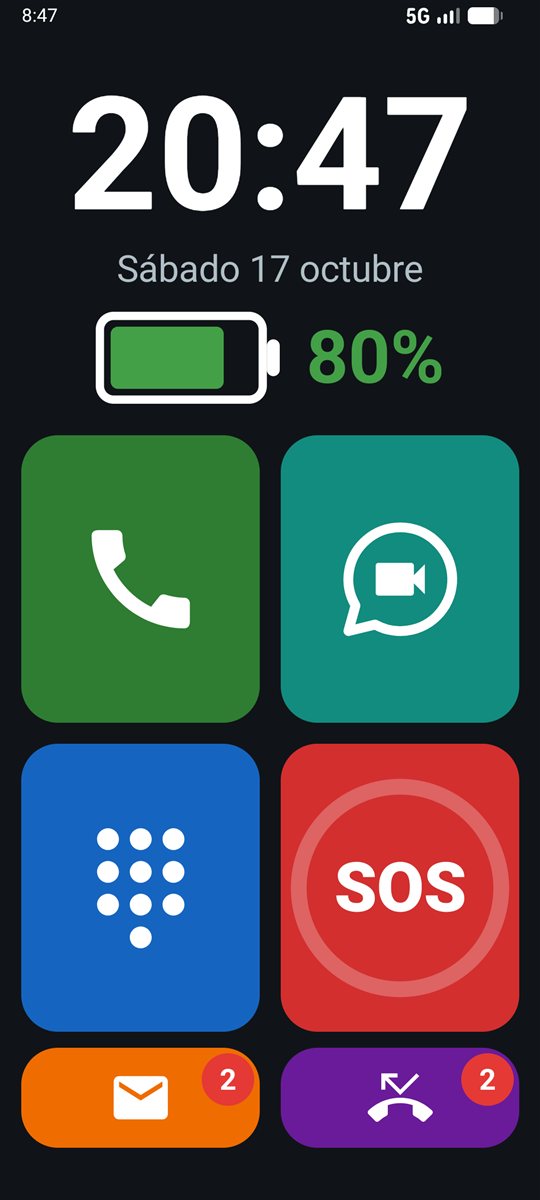
LlamaditApp turns any Android phone into a simple one: large photos for calling, an SOS button, and a big clock and battery display. A relative sets it up, and after that the person cannot get lost in it or change its settings by accident.
Version 1.9.1 · 9 languages · Free software (GNU AGPLv3) · No ads, no accounts and no LlamaditApp servers.
Pills, newspapers, a camera and more
Version 1.9 brings pill reminders with a photo of each box, newspapers that can be read aloud, a simple camera and a low battery warning. Everything is optional and is turned on from the panel or remotely.
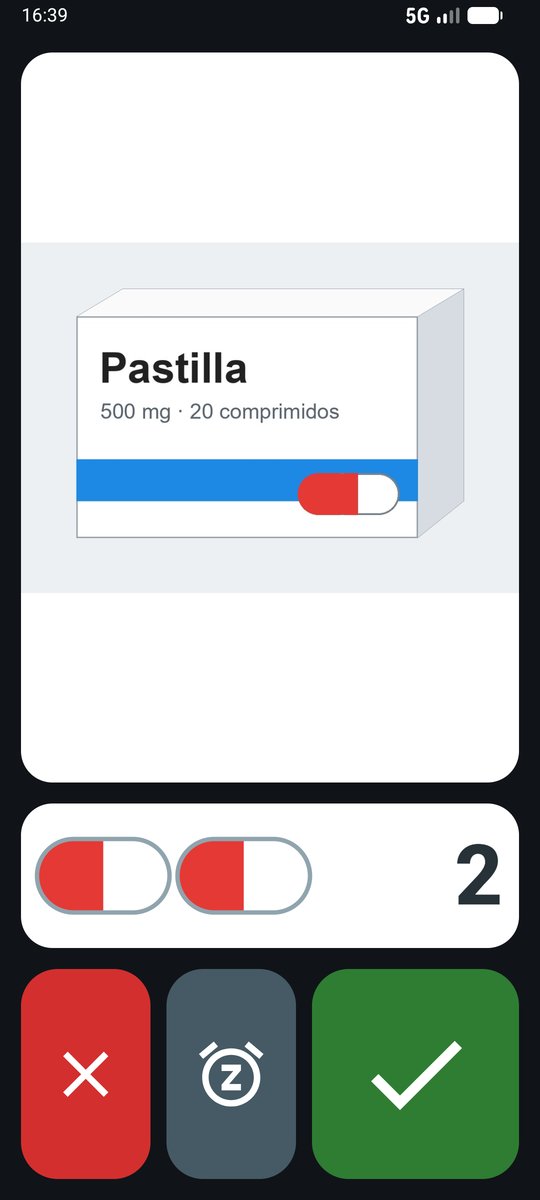
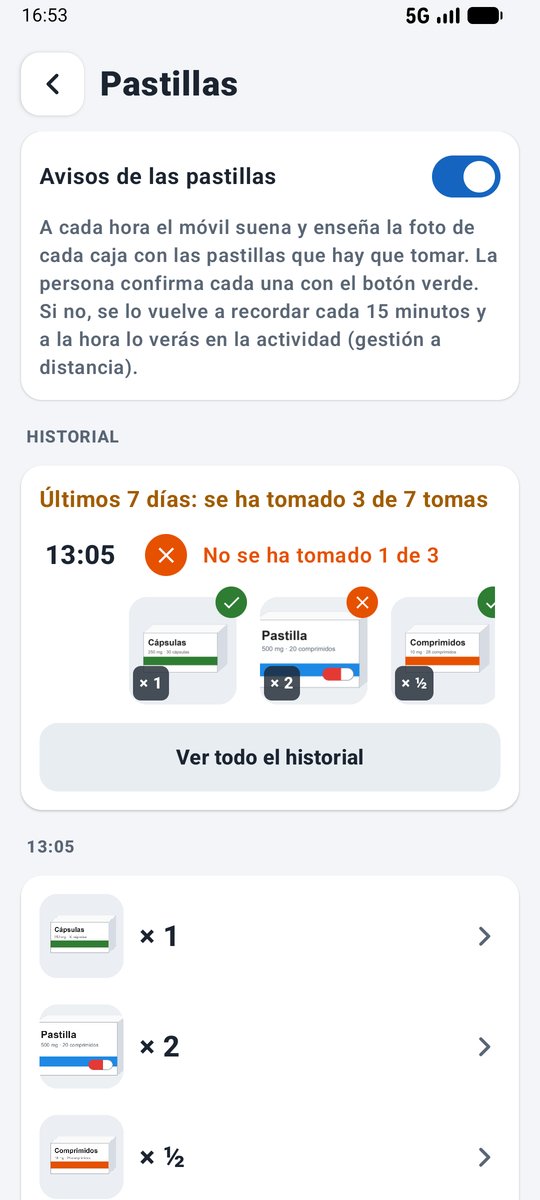
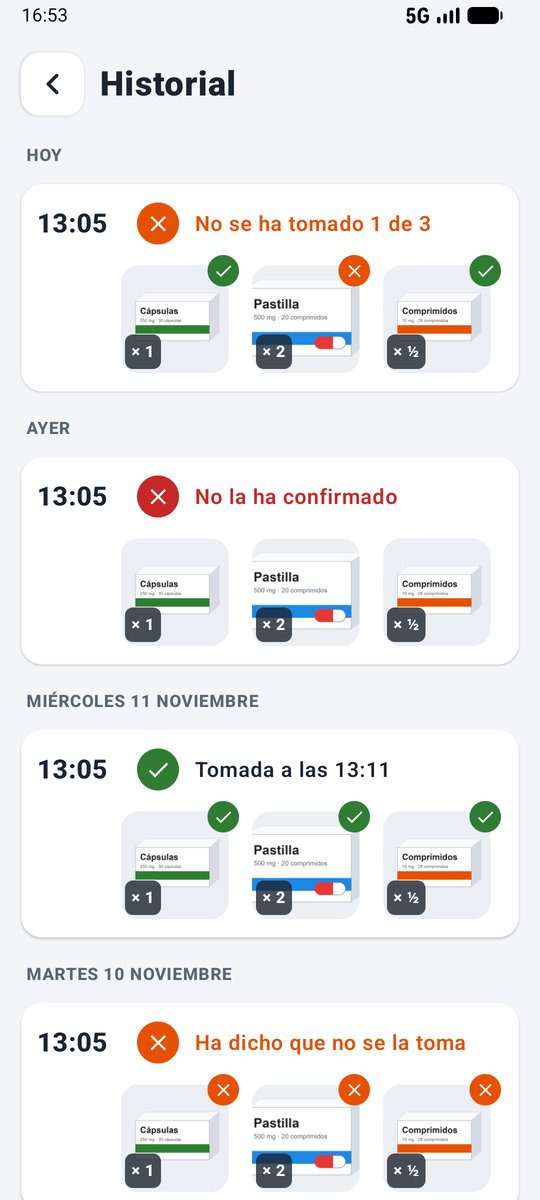
- Pills (1.9, optional): at each time the phone rings and shows the photo of each box and how many to take; the person confirms with the green button or says no with the red one. You see the dose history, with a photo of each box since 1.9.1.
- Newspapers (1.9, optional): 42 free Spanish newspapers and magazines by section, with photos and large text. Stories can be read aloud and open in full without cookie banners or ads covering them.
- Camera and photos (1.9, optional): a white circle takes the photo, with the back or front camera, and another button shows them large.
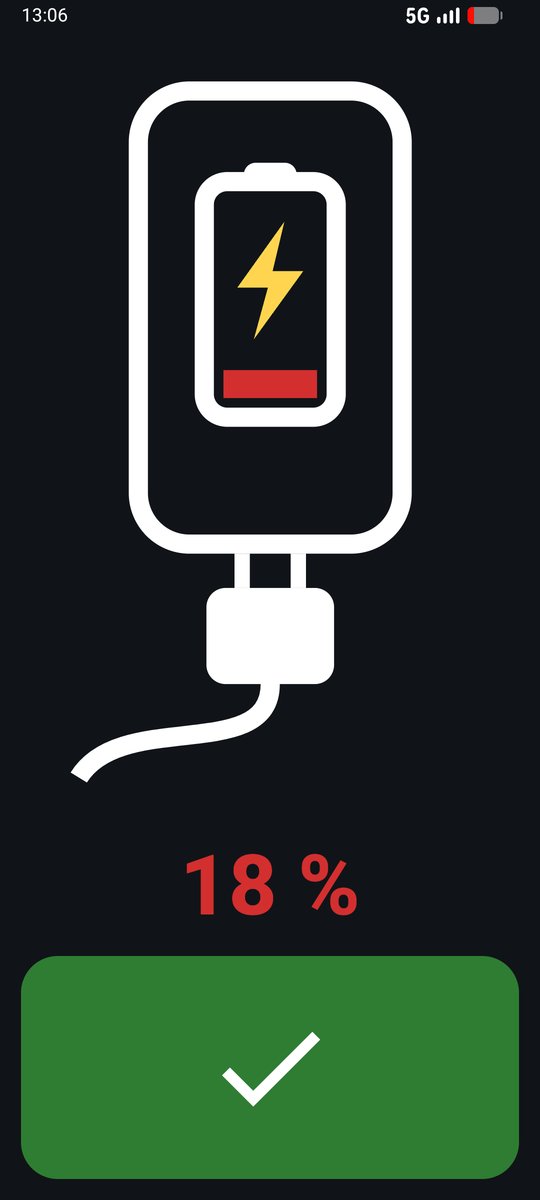
- Low battery (1.9, optional): when the battery drops below the level you choose, a large picture of the phone and the charger appears.
- Pausing kiosk mode (1.9): the phone works like a normal one, with its usual home screen, and kiosk mode comes back with one tap, remotely too.
- Remote management (1.8, optional): from your Android phone or a computer, you can see where the phone is, make it ring and edit contacts, photos, the SOS settings and the home screen. Each family uses its own free Firebase project.
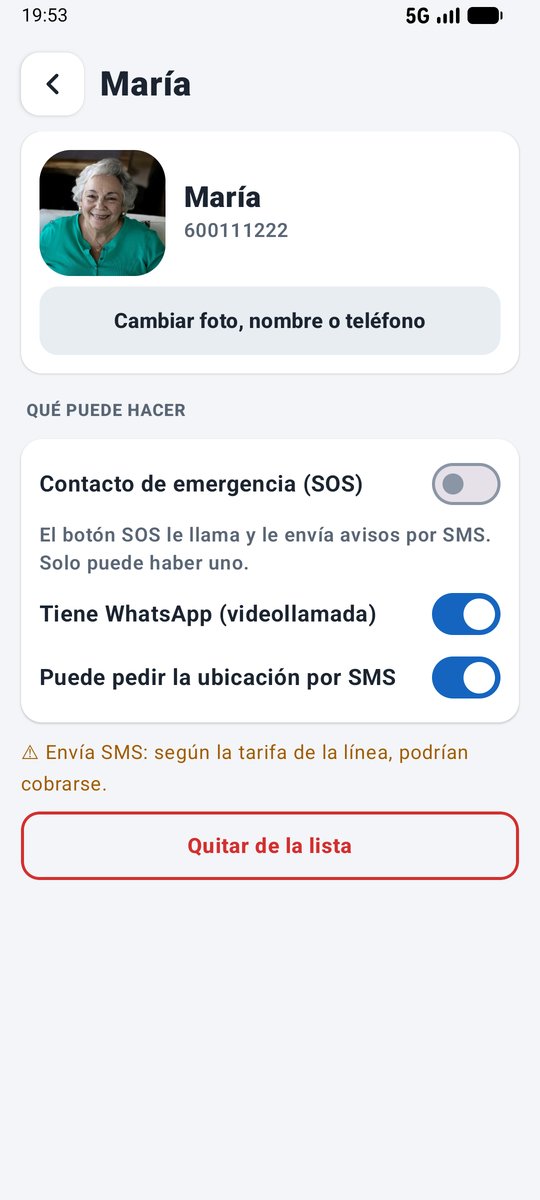
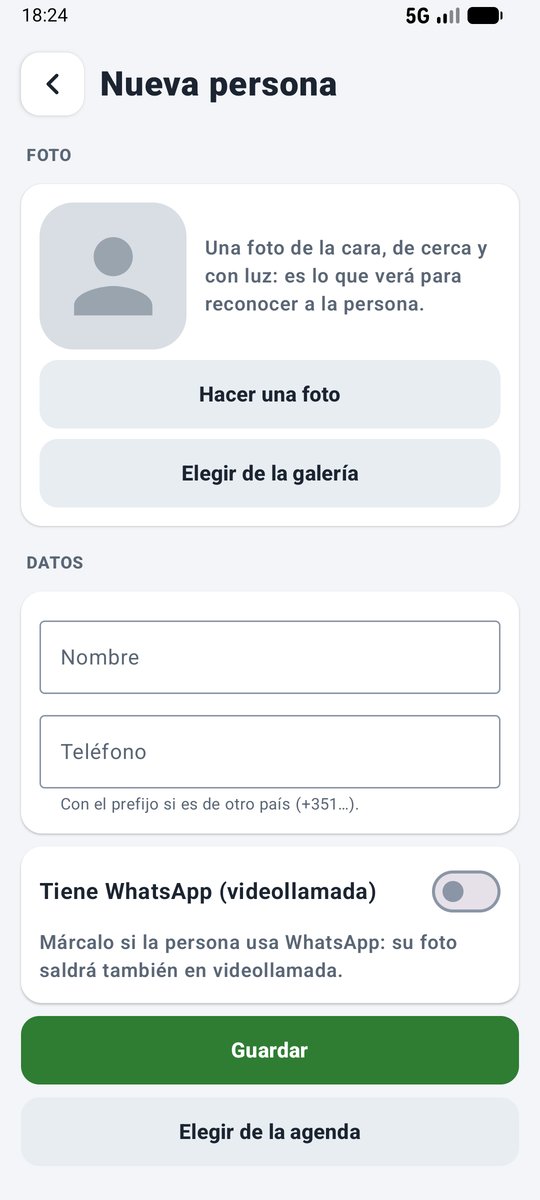
- Add people without leaving LlamaditApp (1.8): photo, name, number and WhatsApp in a single form.
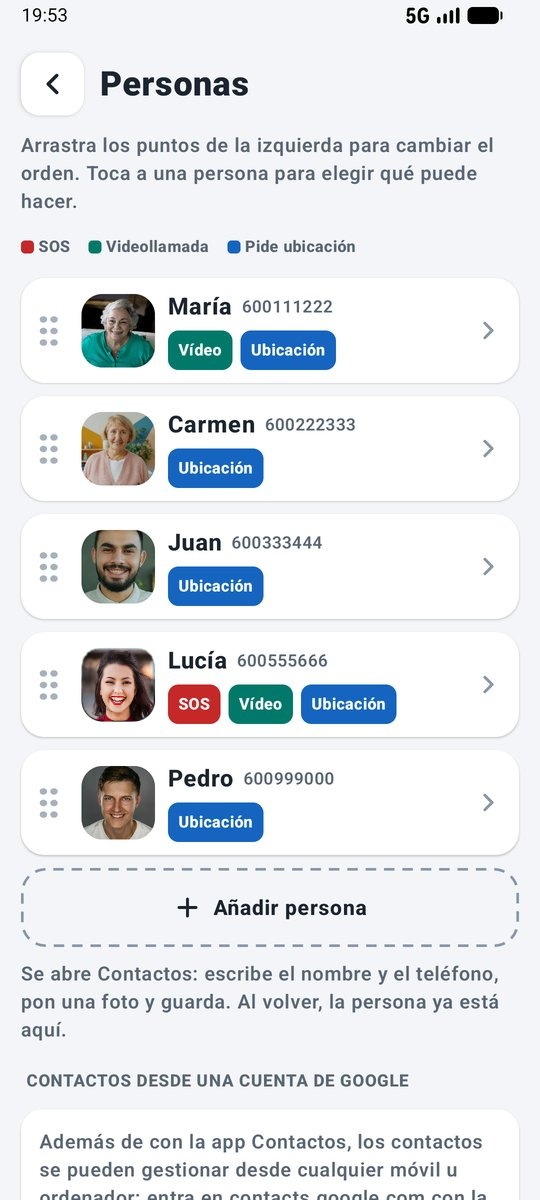
- New caregiver panel (1.7): clearer, divided into sections, and it tells you what is missing. Contacts have photos and tags, and you reorder them by dragging.
Everything you need. Nothing more.
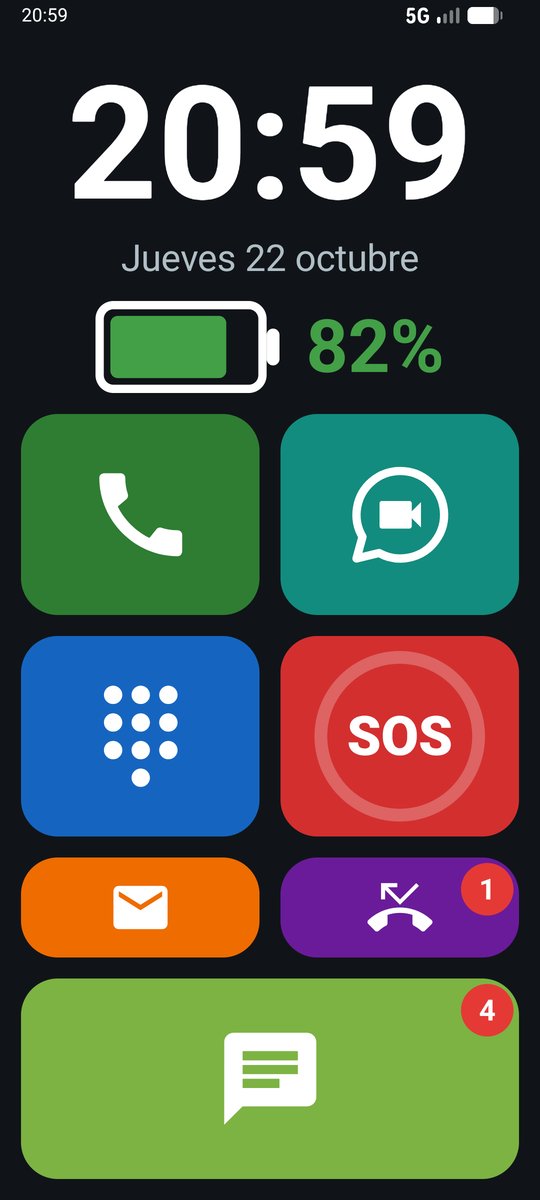
Each feature is recognised by its colour and its picture. No menus, no text, nothing to tap by mistake.
Call with a photo
Trusted contacts appear with their photos. Tap the photo to call.
WhatsApp video calls
One tap on the photo and the video call starts straight away, without going through the chats.
Emergency button
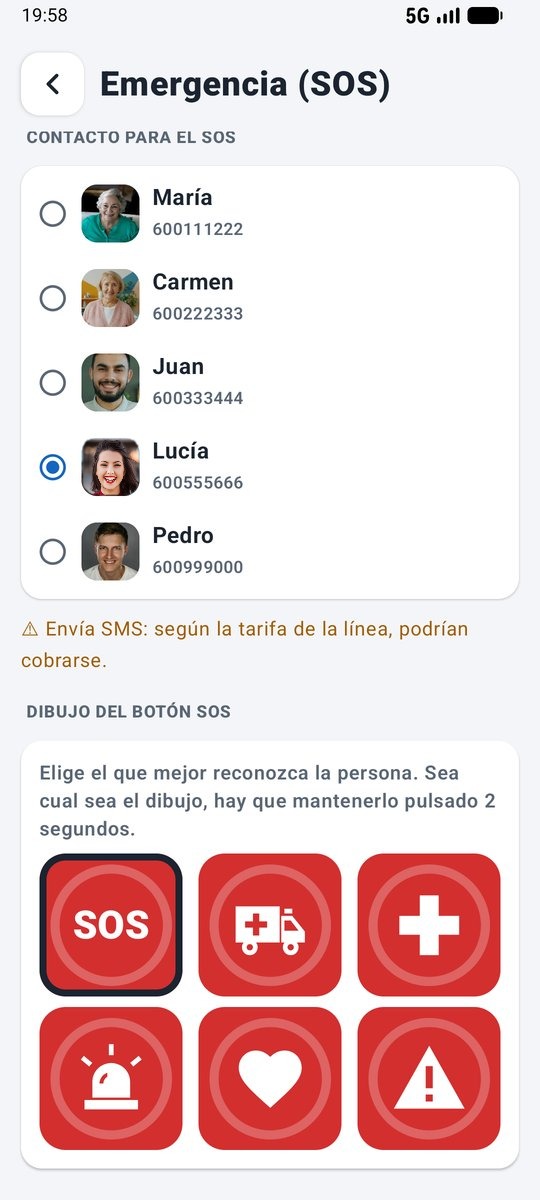
Holding it for 2 seconds calls the trusted relative and sends them the location by text message. The button can show an ambulance, a cross or a heart.
Answer and hang up without swiping
Incoming calls show a large photo: green to answer, red to hang up.
Where are they? Only when you ask
A relative texts a keyword (LOCATION in English) and gets the position on Google Maps. No continuous tracking.
Impossible to mess up
Kiosk mode: the person cannot exit the app, delete anything or open other apps. After a restart, it comes back automatically.
Messages and missed calls
A red number signals new messages and missed calls. Tapping a missed call returns the call.
Volume that makes sense
A huge panel with an arrow and a staircase of bars. It never goes silent: at the very least, it vibrates.
Longer battery life
Bluetooth off, Wi-Fi only if the caregiver turns it on, unneeded apps hidden, and updates at night.
A screen tailored to them
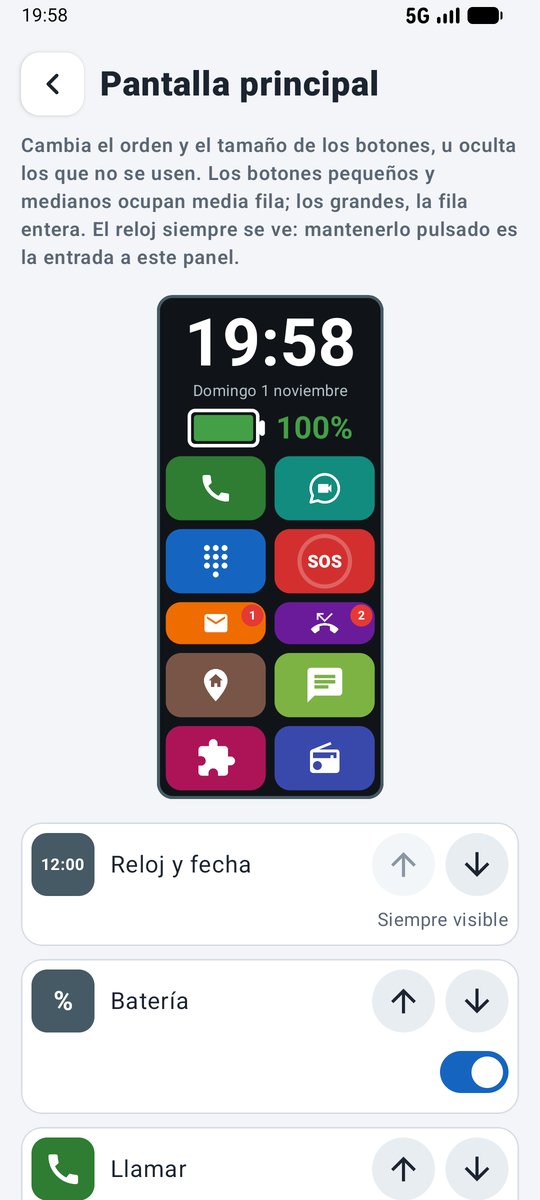
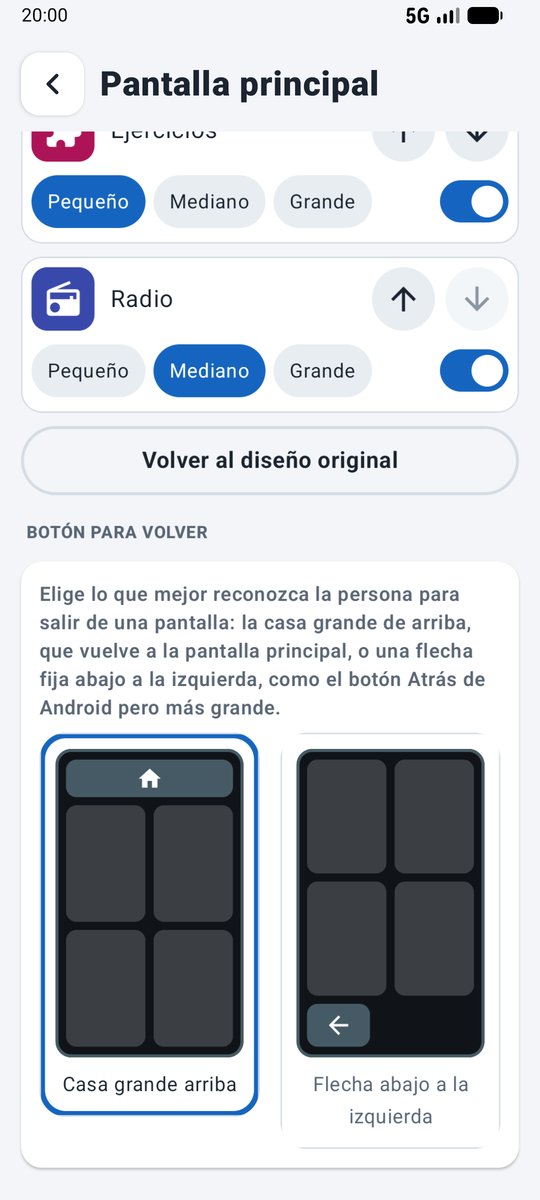
The caregiver moves, enlarges or hides each button to leave only what the person uses.
Go home
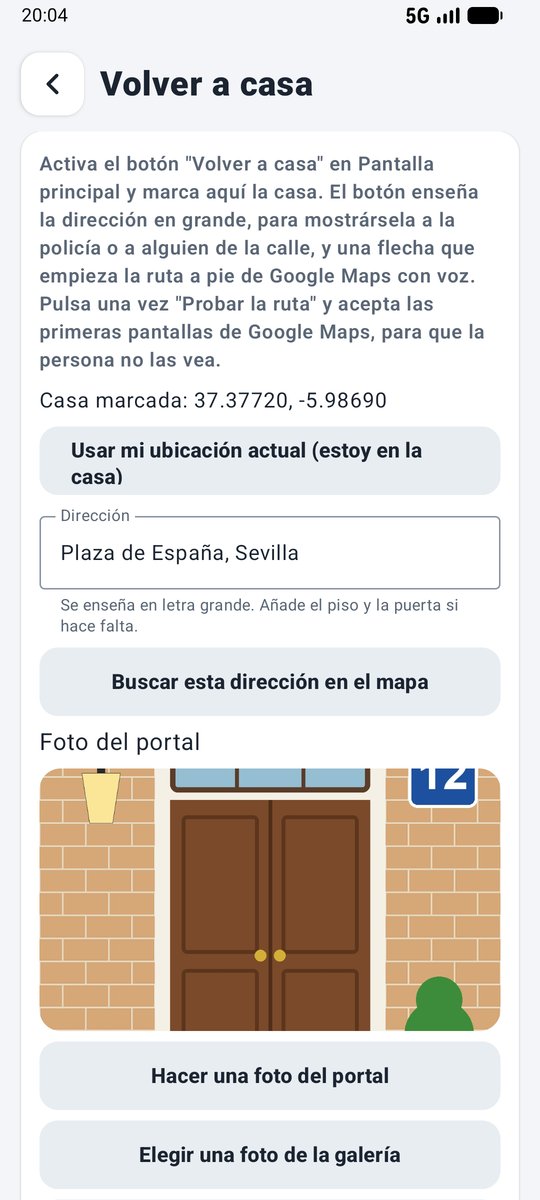
If they get lost, they see their address in large letters and an arrow that starts a walking route with voice guidance. On arrival, a photo of their front door.
Contacts from any computer
With a Google account, the caregiver adds or changes contacts at contacts.google.com and the changes reach the phone automatically.
Memory exercises
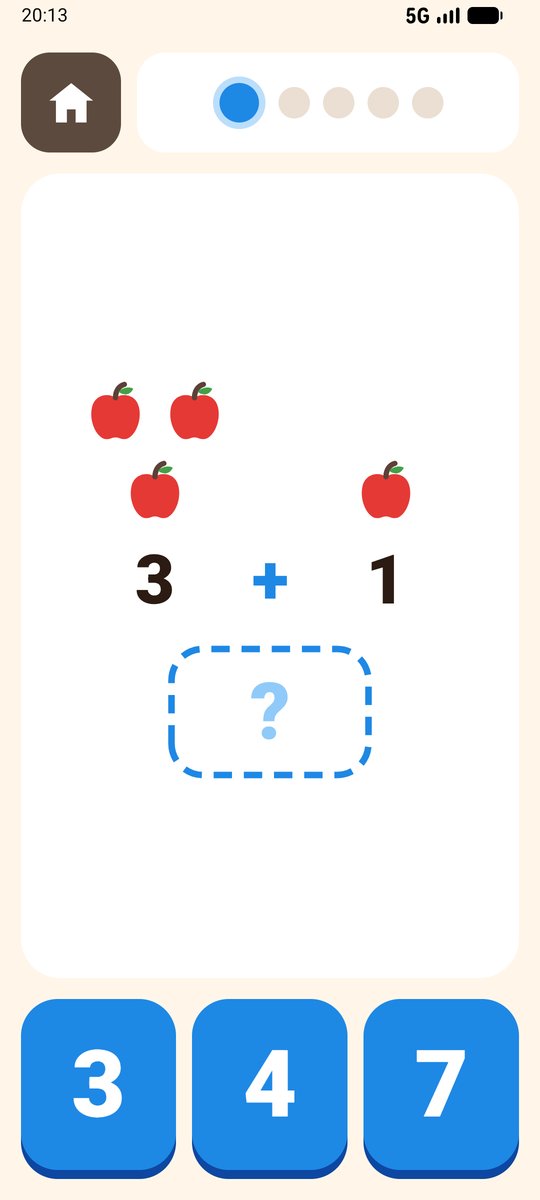
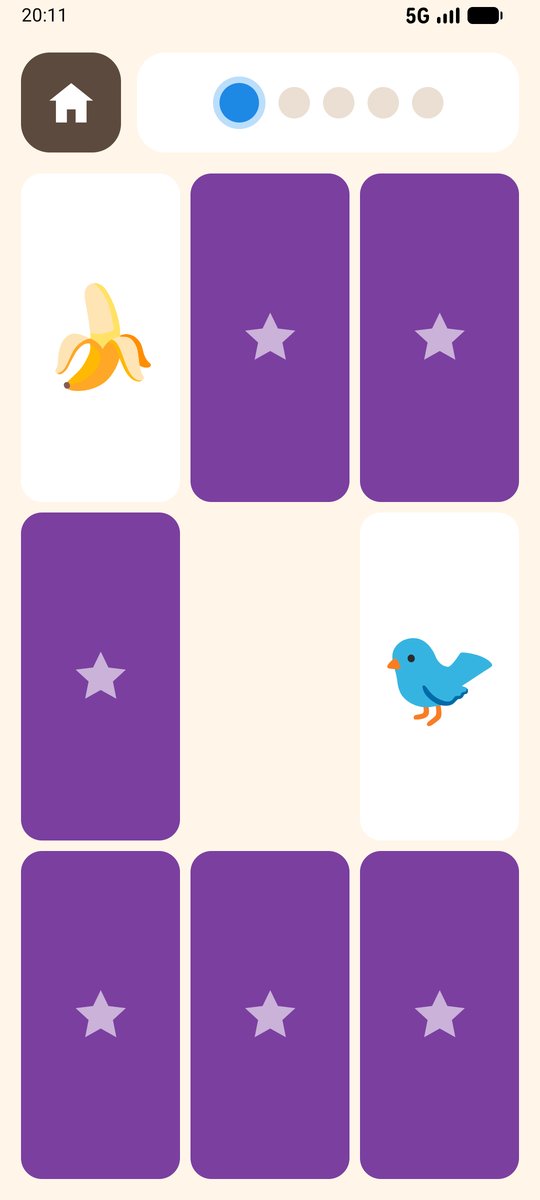
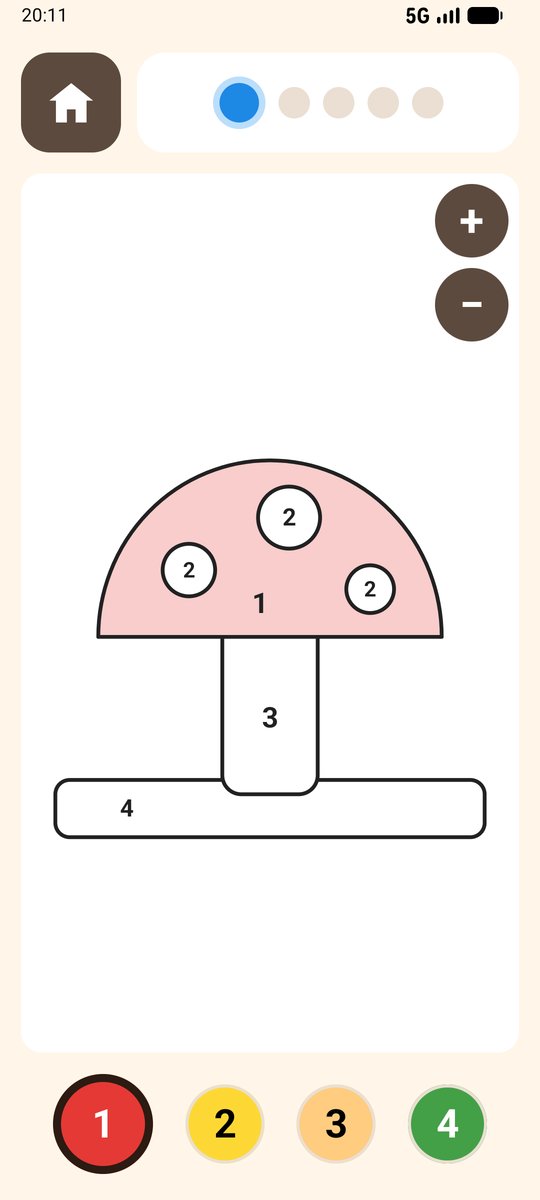
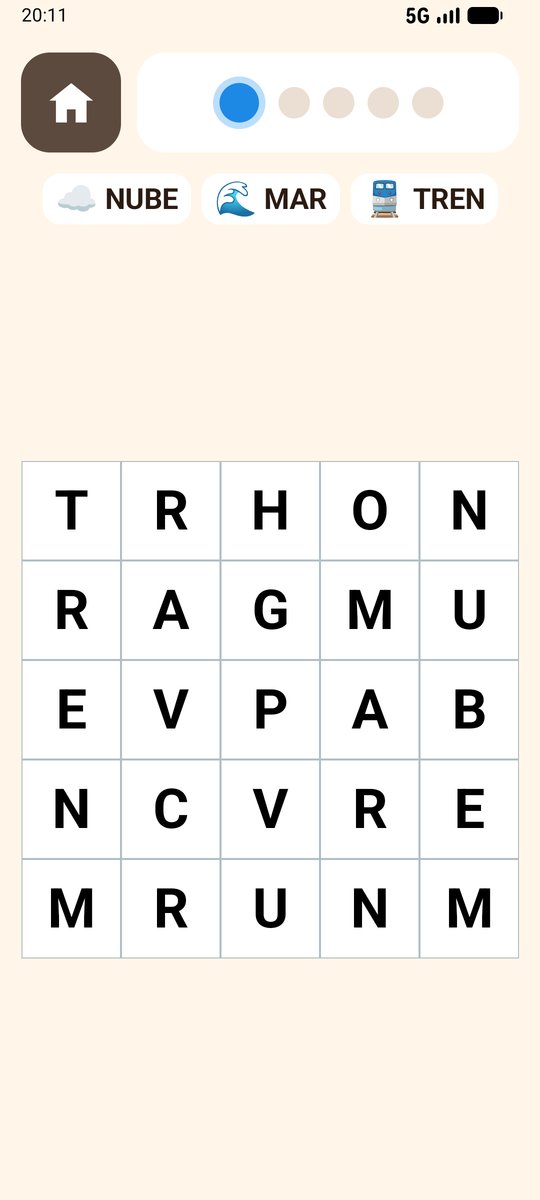
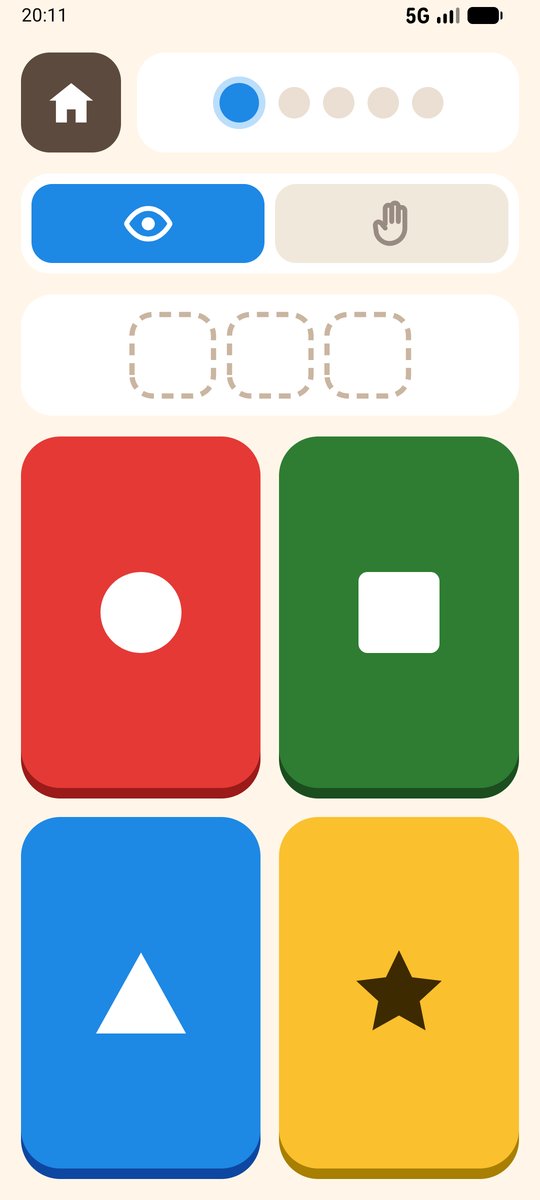
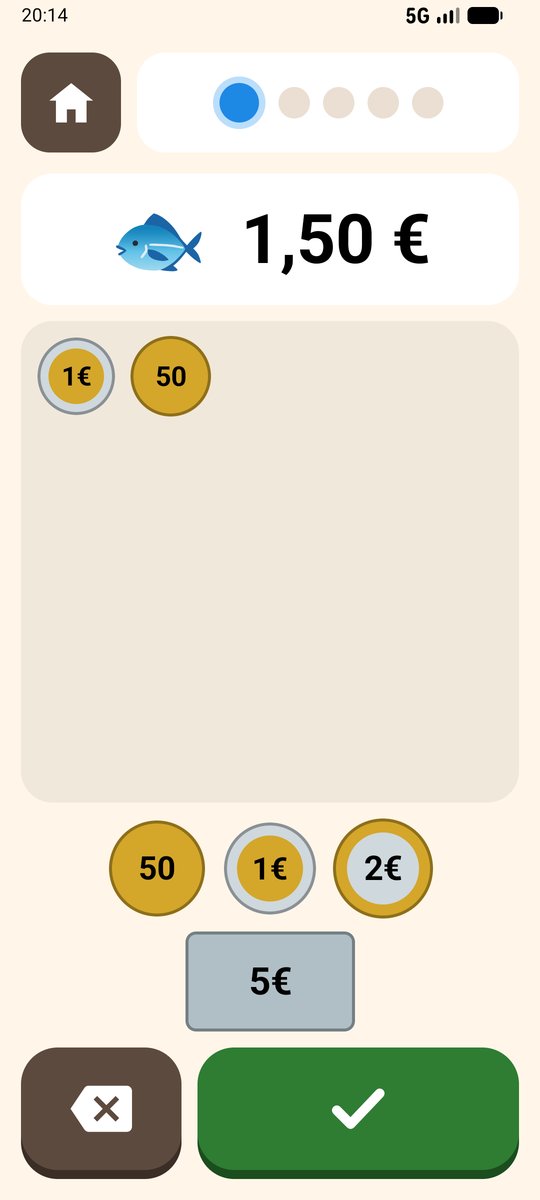
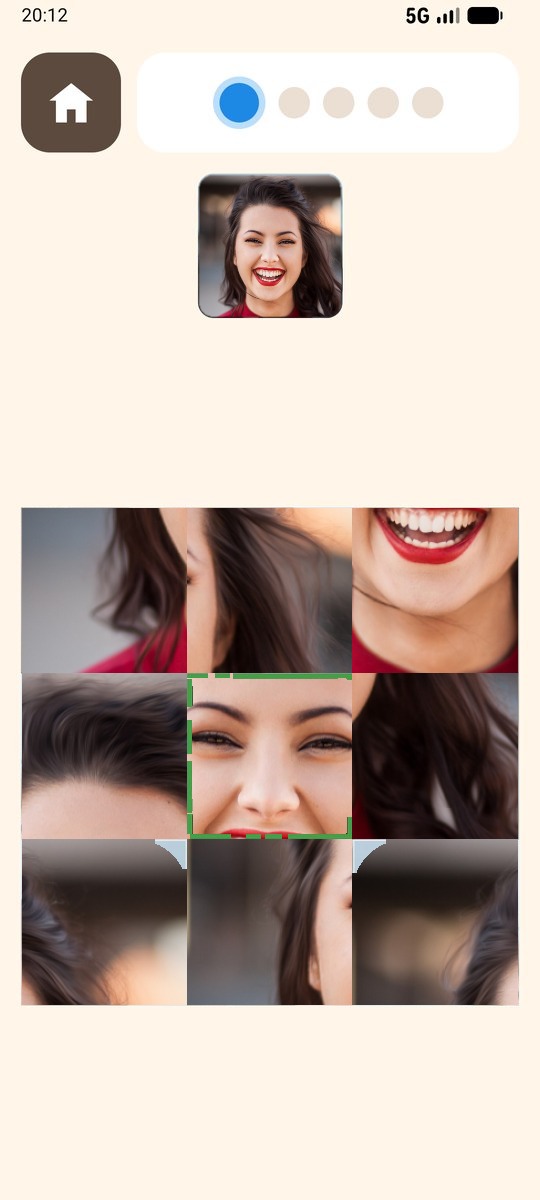
Maths, pairs, word search, "Who is it?" with family photos… Eight exercises with levels that adapt automatically.
Full WhatsApp
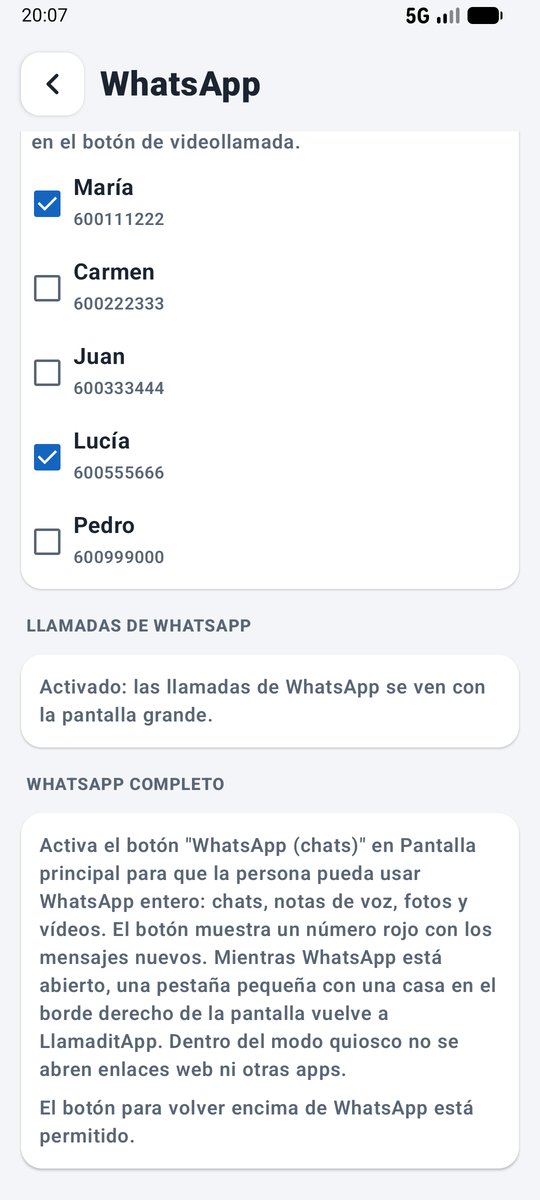
Chats, voice notes and photos, with a red number for new messages and a house tab for going back.
Going back the easiest way
The big home button at the top or an arrow at the bottom left, like the familiar Back button.
Remote management
From your Android phone or computer, see where the phone is, make it ring and edit contacts, photos or the home screen, without having it to hand.
Radio
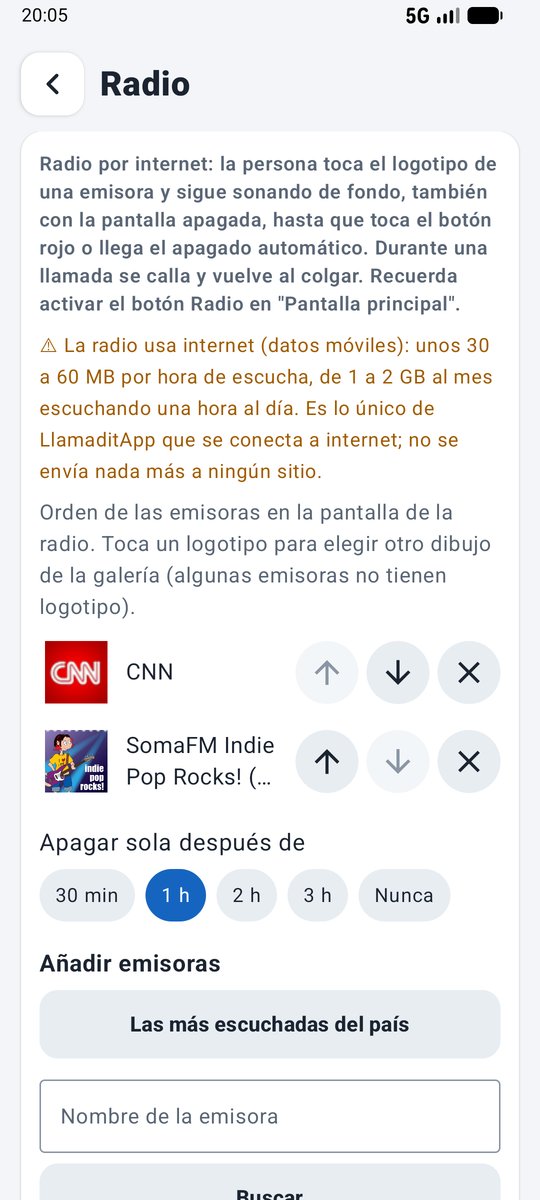
Their favourite stations, shown as logos. It keeps playing with the screen off, goes quiet during calls and switches off automatically.
Adding people made simple
Photo, name, number and WhatsApp in one form, without leaving LlamaditApp or opening the phone book.
Camera
A white circle takes the photo and another button switches between the back and front cameras. No menus and no text.
Photos
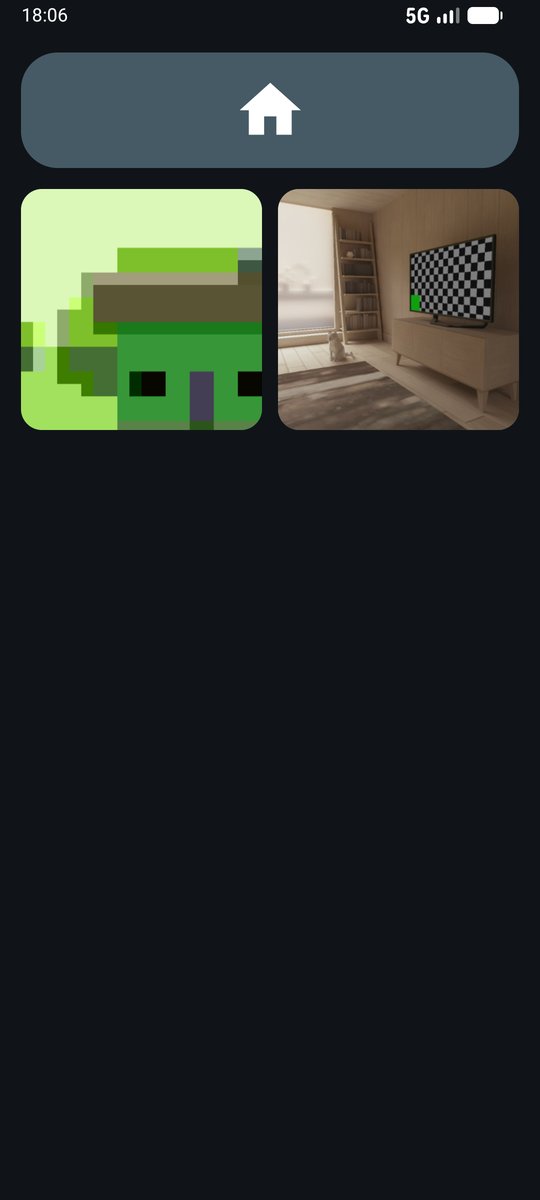
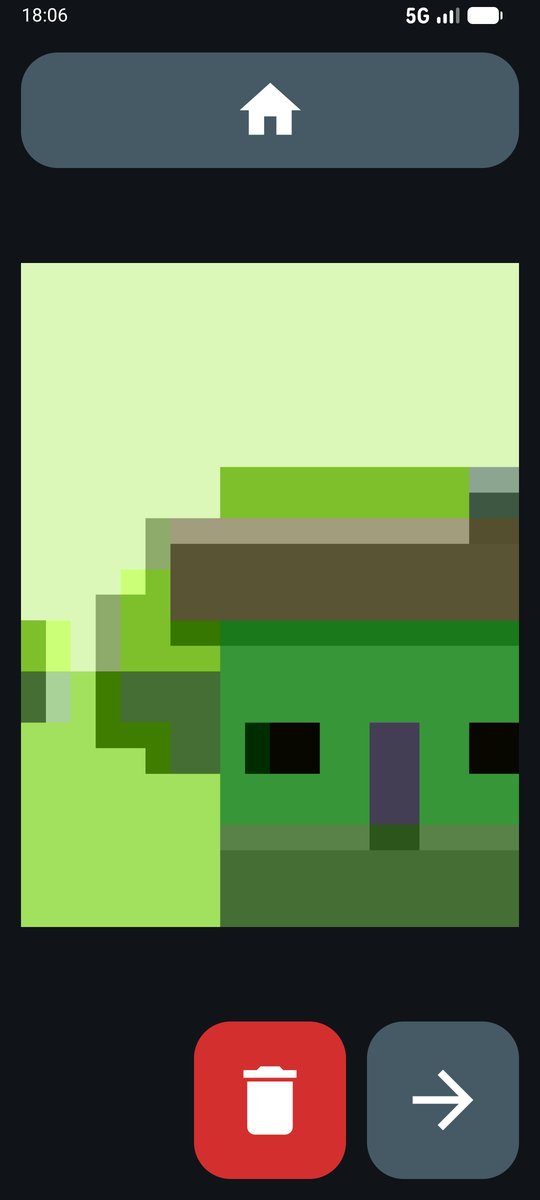
Their photos in a grid and, when tapped, shown large. They stay on the phone: they are not sent anywhere.
Low battery warning
When the battery drops below the level you choose, a picture of the phone and the charger appears. It goes away when the charger is plugged in.
Pills
At the right time it rings and shows the photo of each box and how many to take. You see the dose history, remotely too.
Newspapers
42 free Spanish newspapers and magazines by section, with photos and large text. The news can be read aloud.
Pausing made simple
With kiosk mode paused, the phone works like a normal one. It comes back with one tap, remotely too.
What the person sees
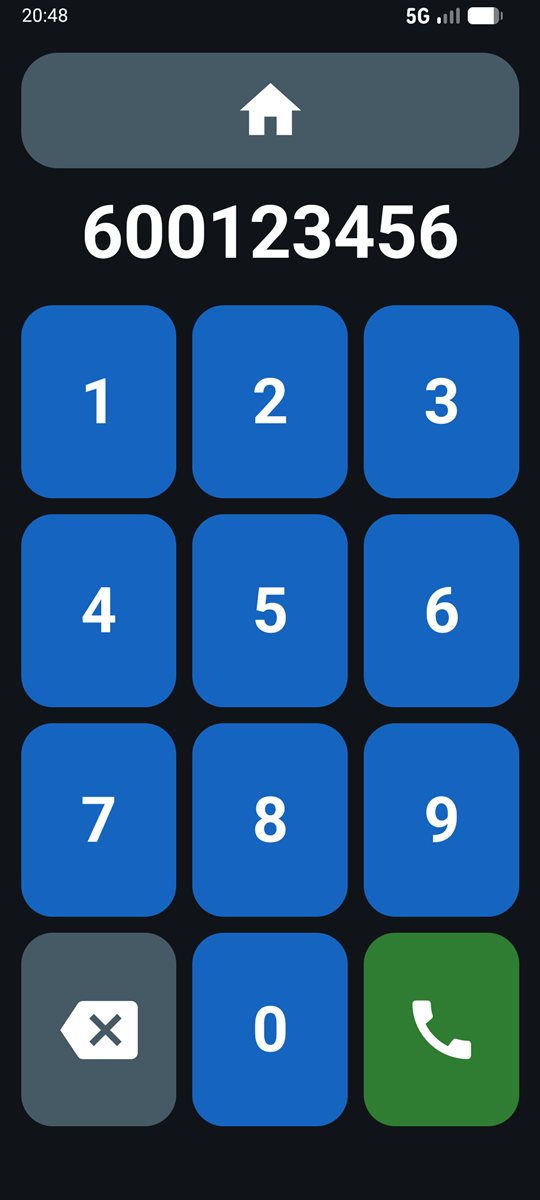
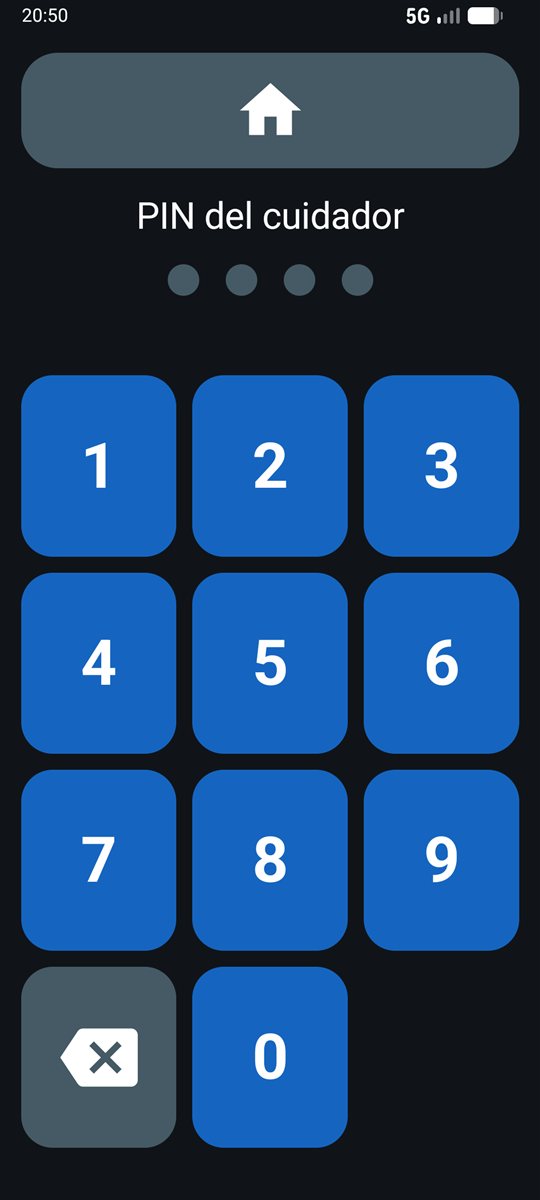
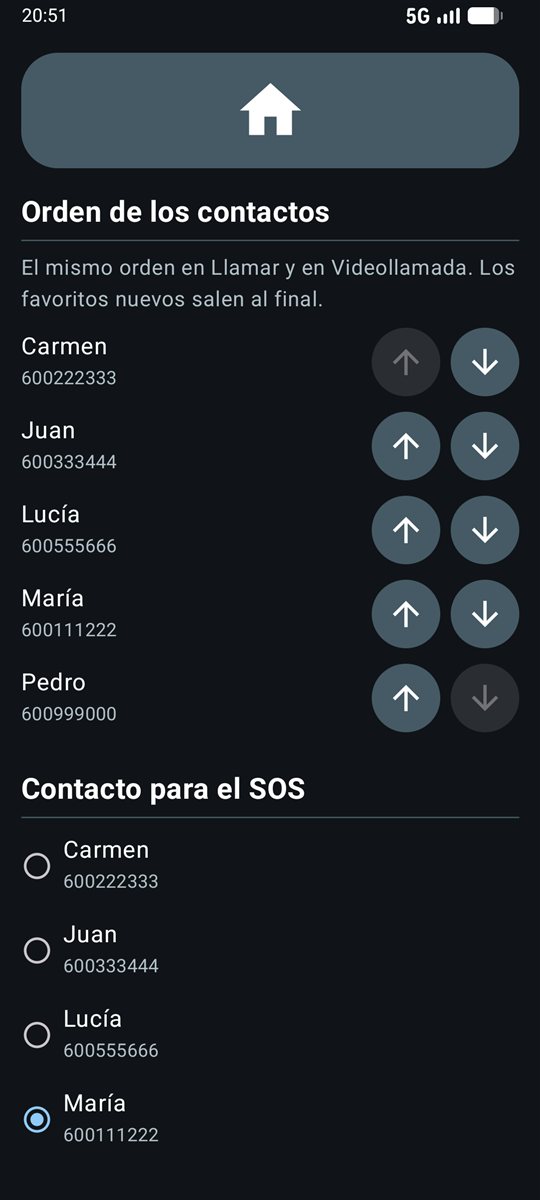
Pick a screen to see it on the phone.


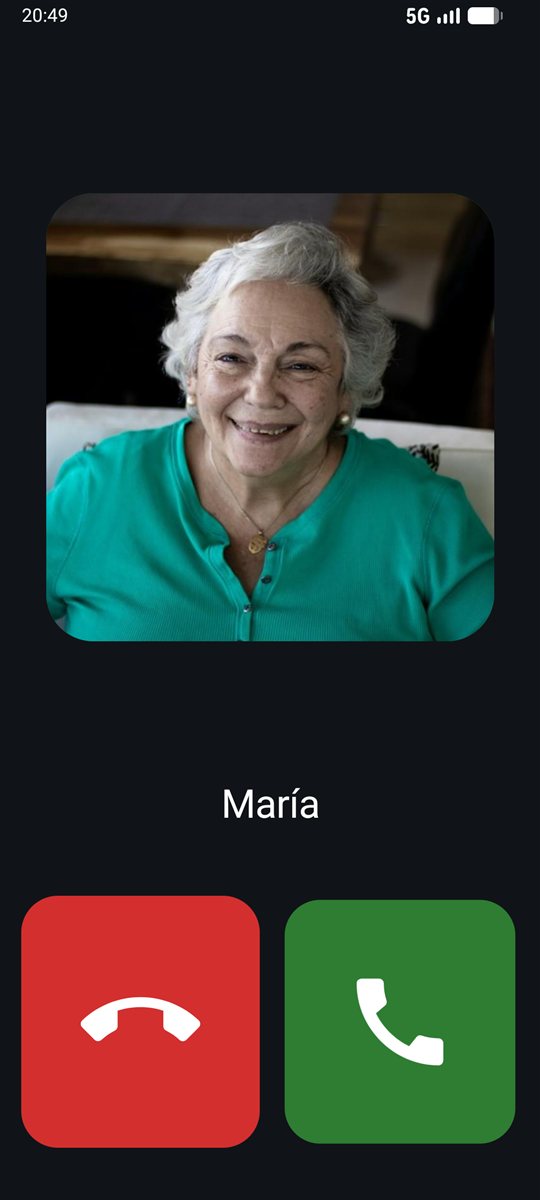
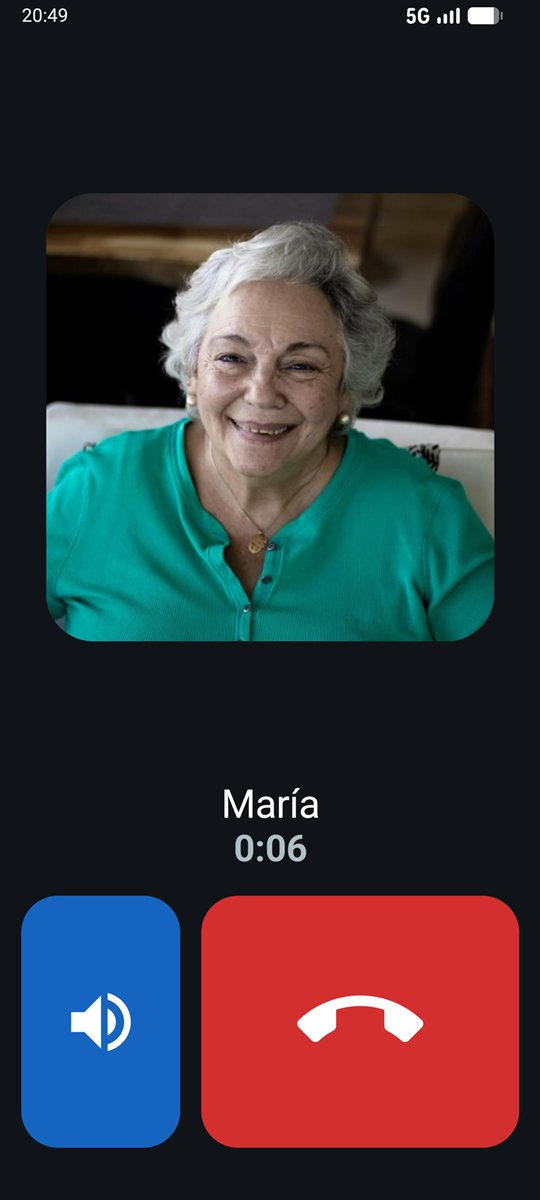

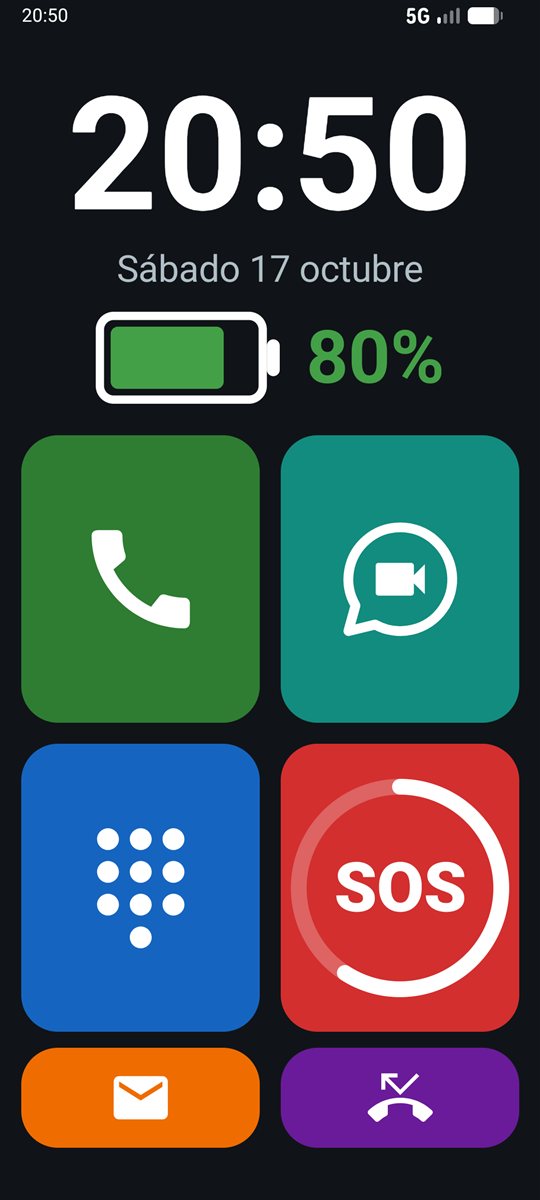
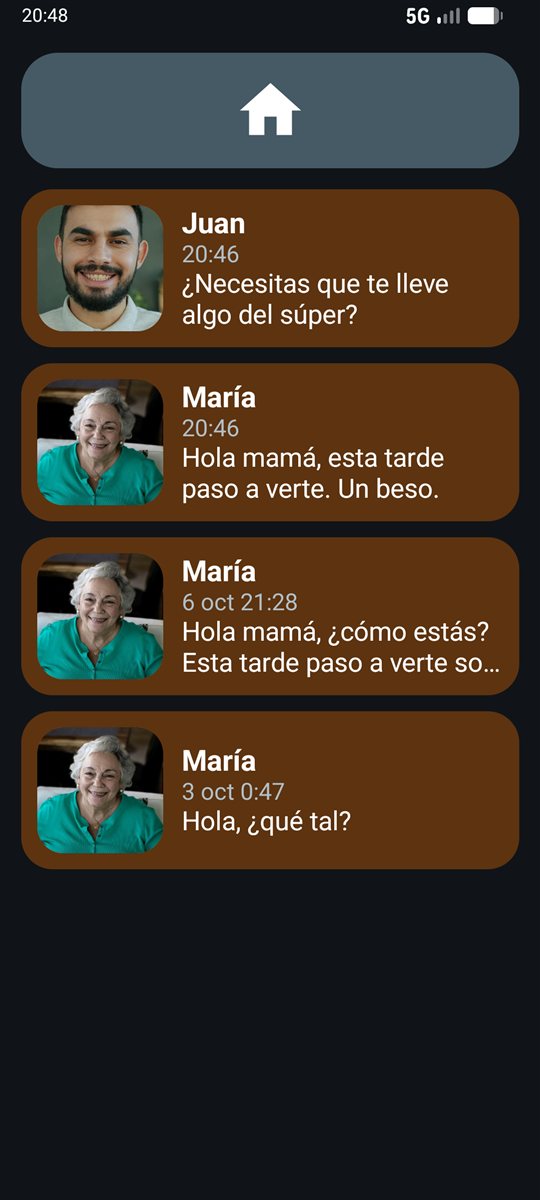

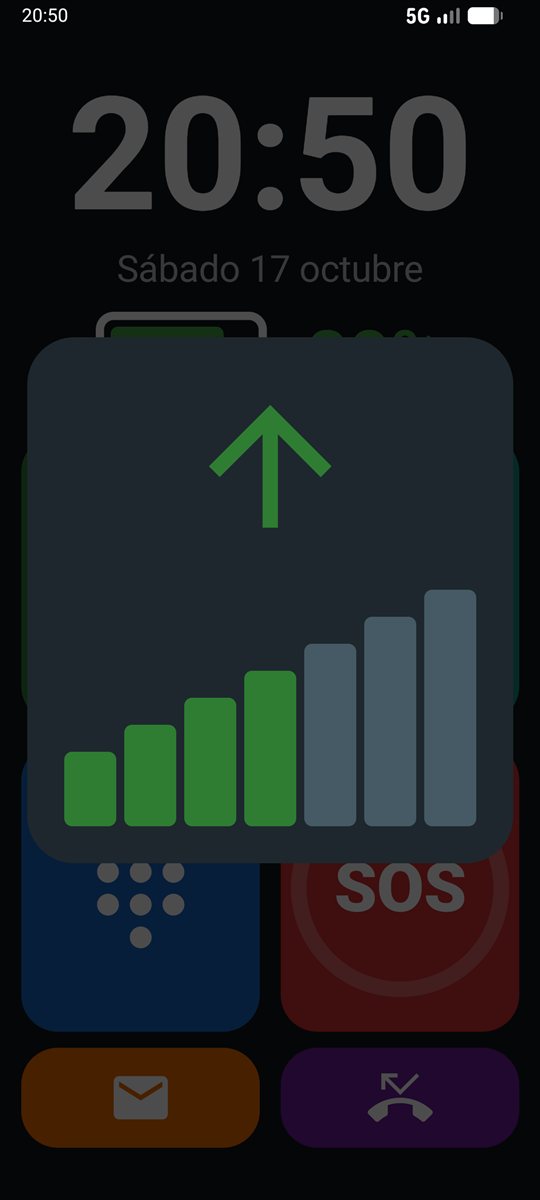
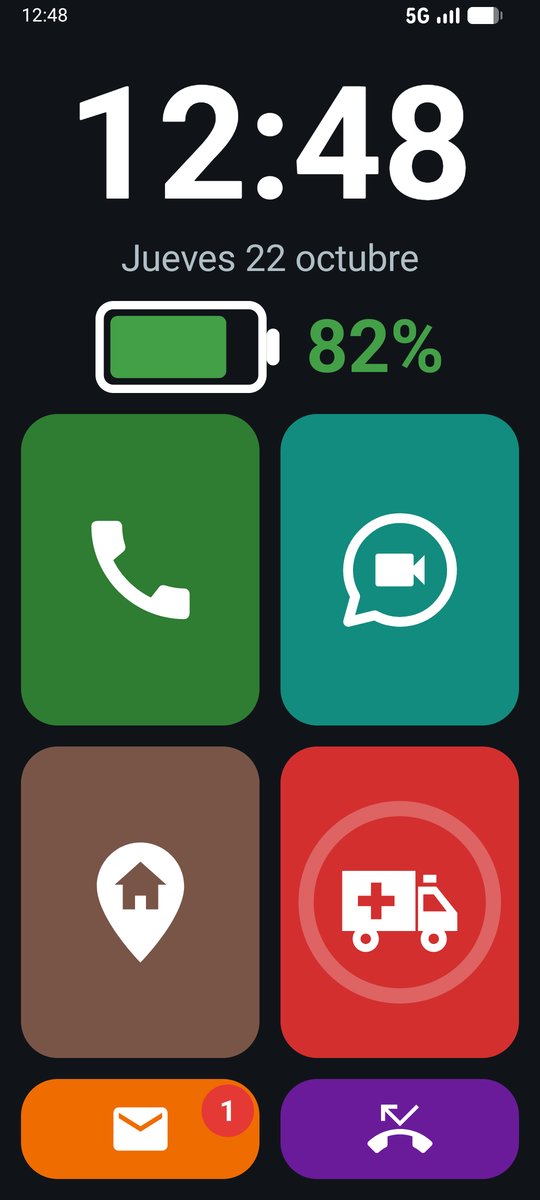
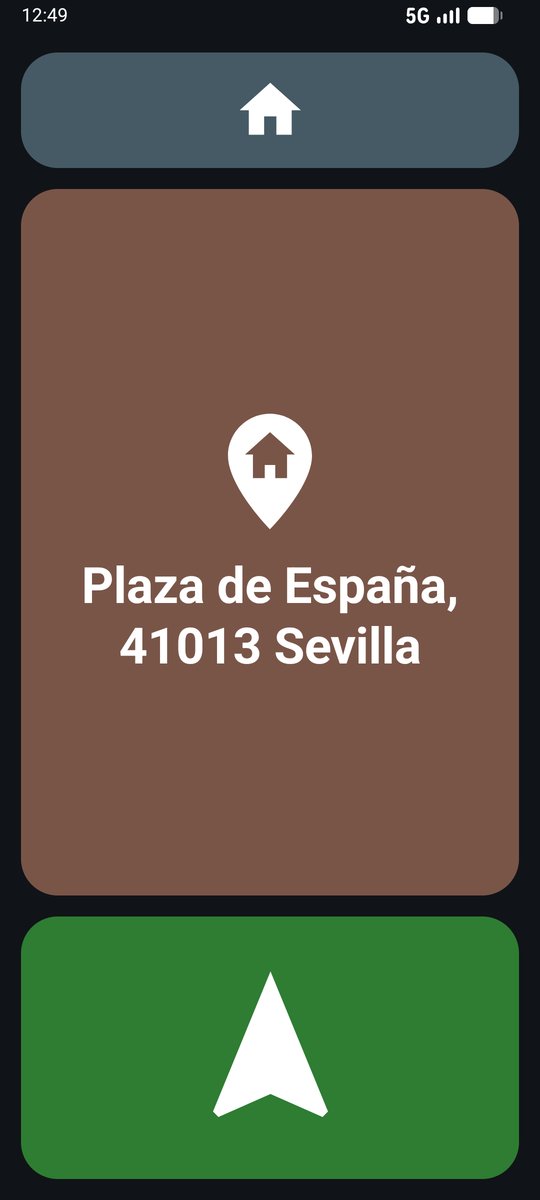
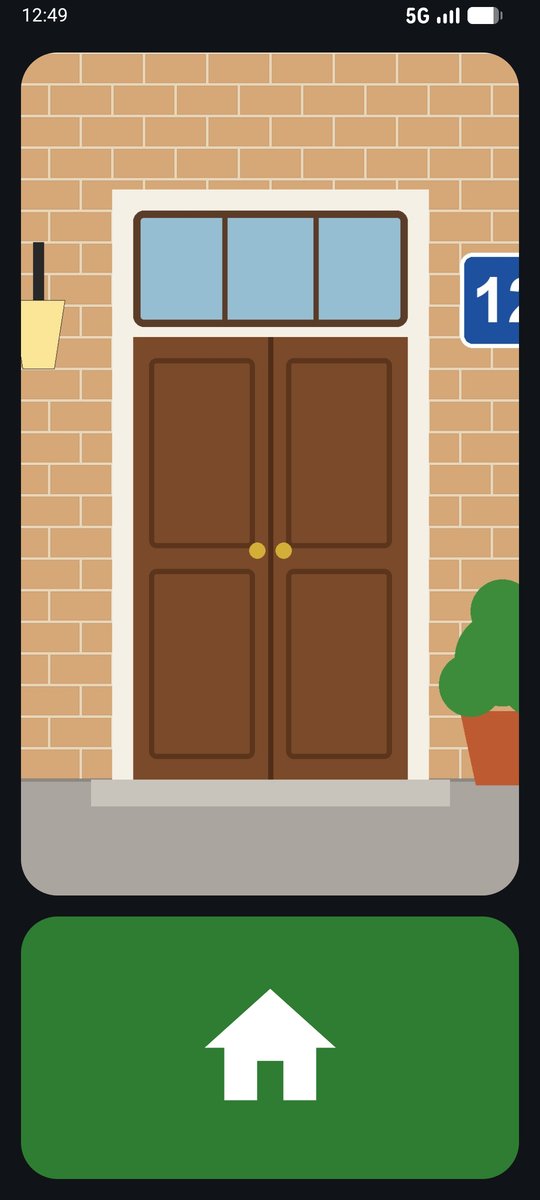
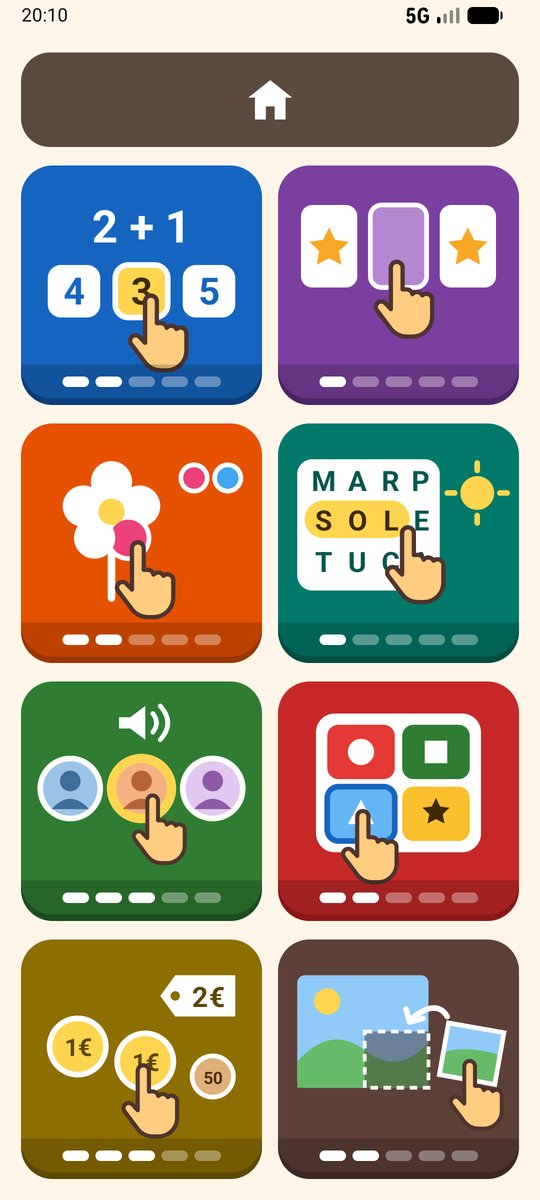
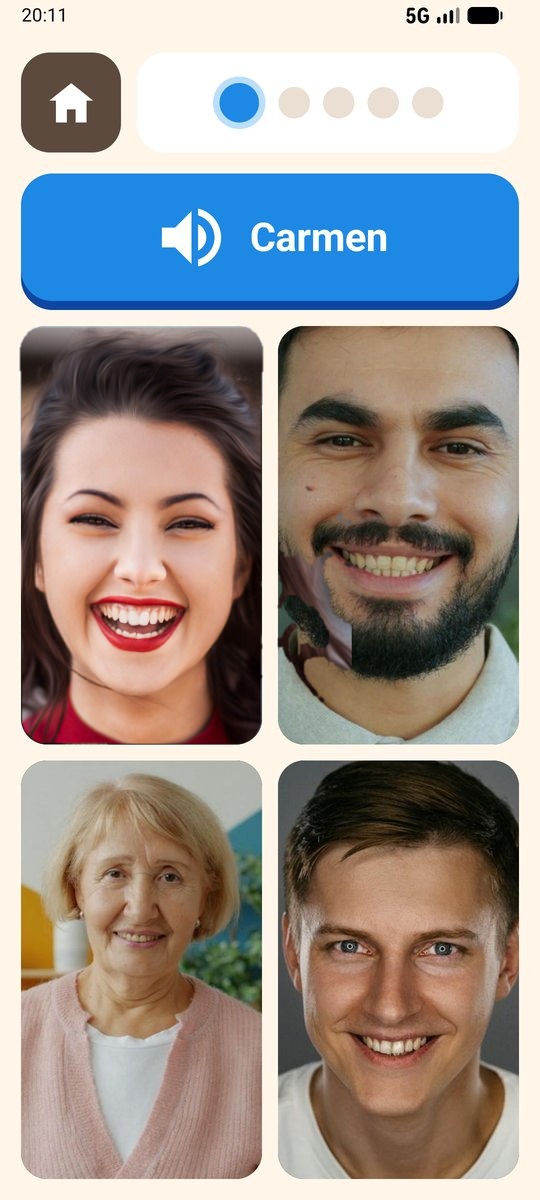
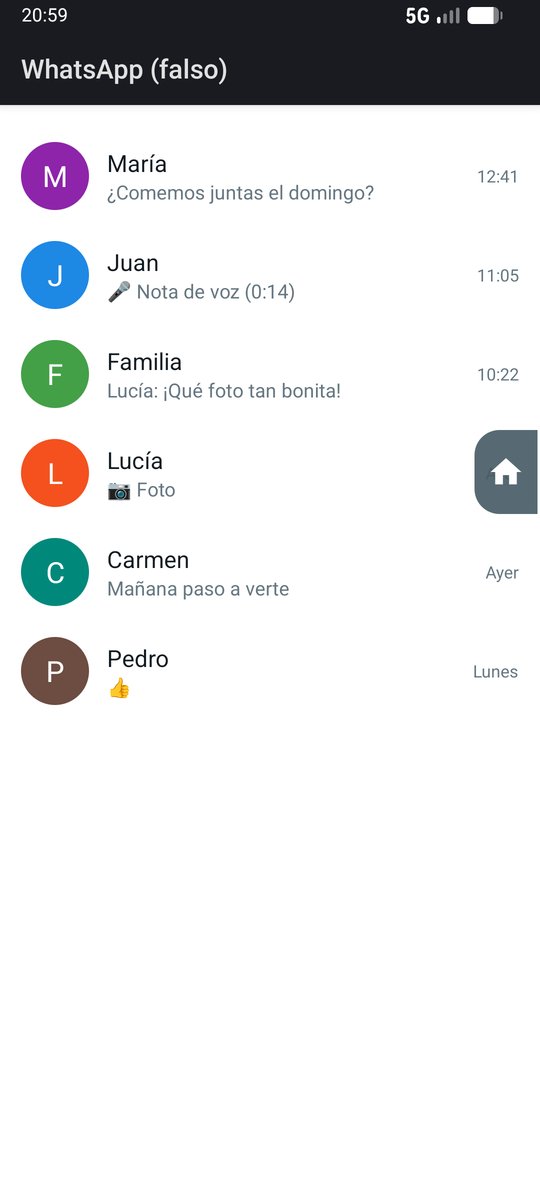
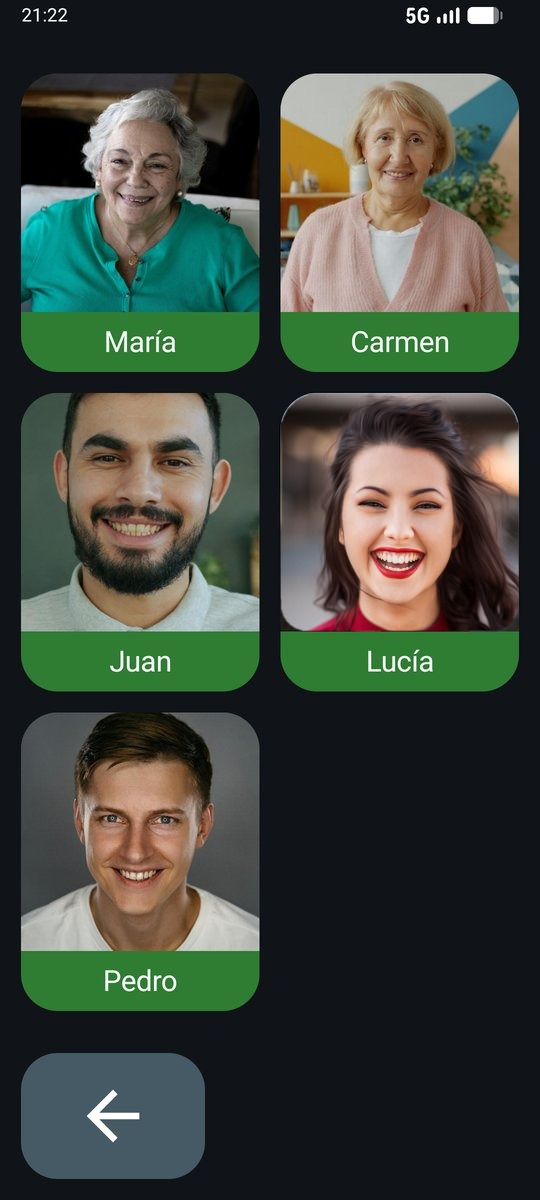
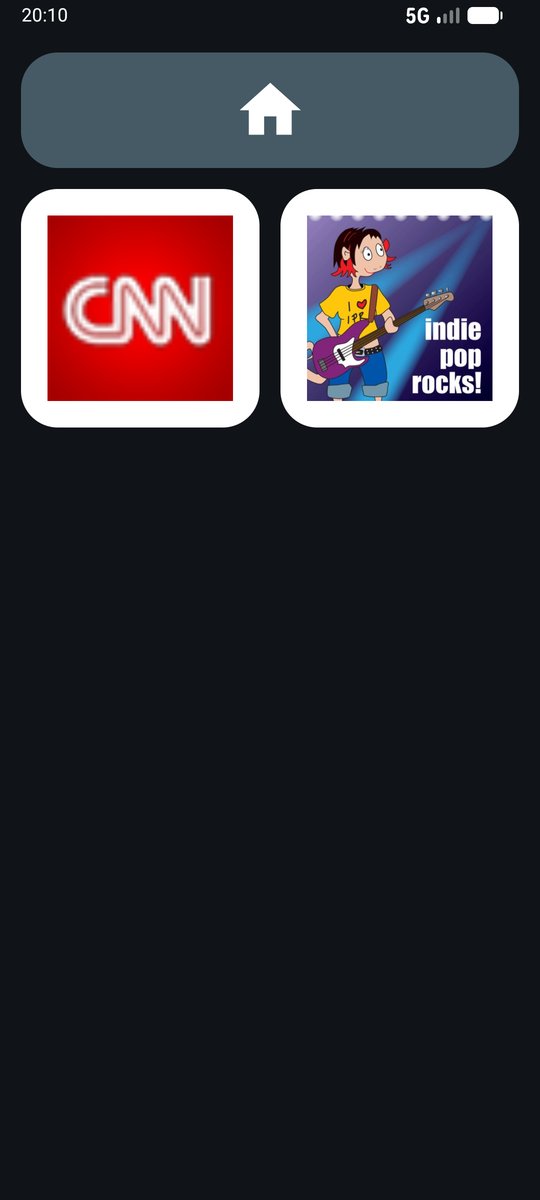
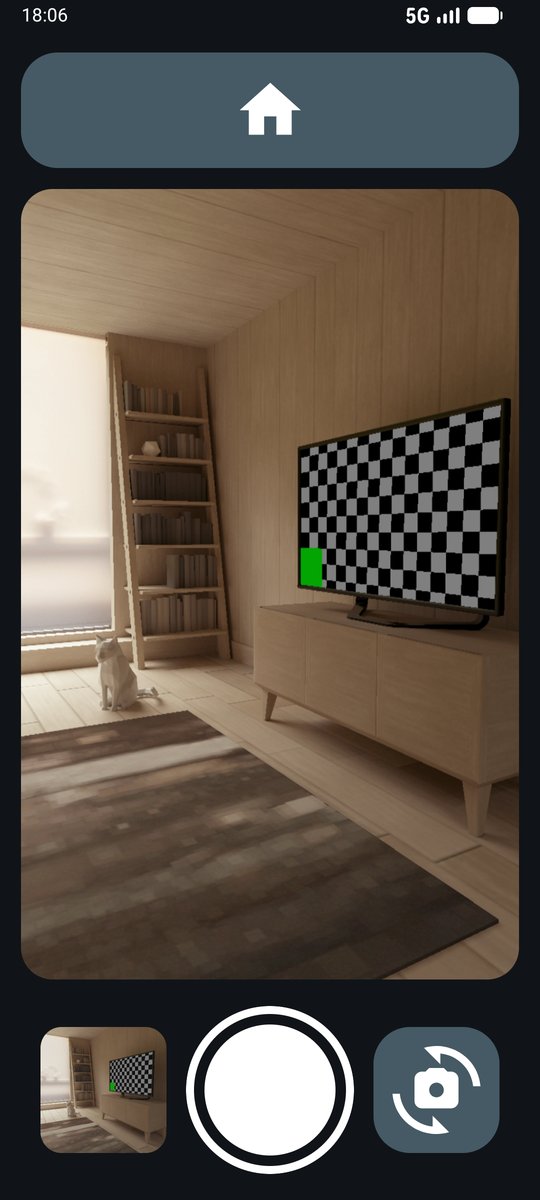
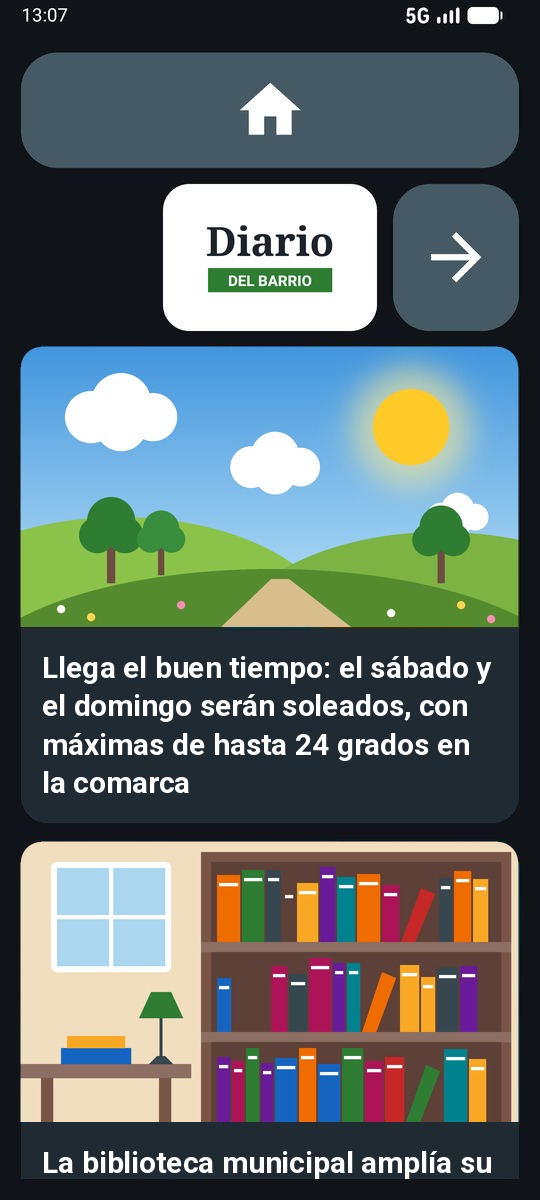
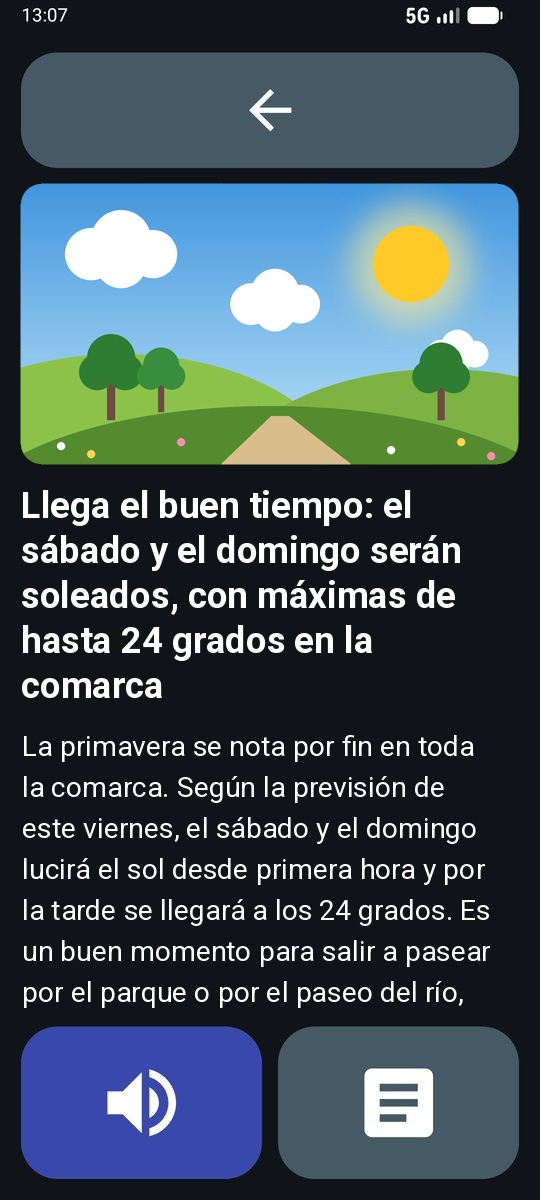
Real screenshots of the app (in Spanish), with made-up contacts.
Every detail designed to avoid mistakes
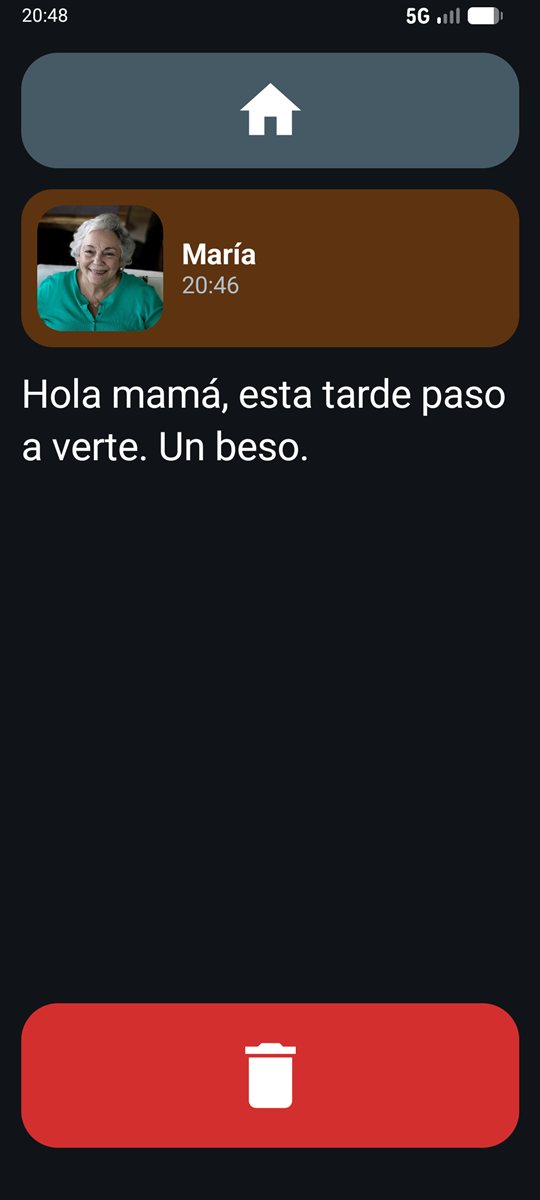
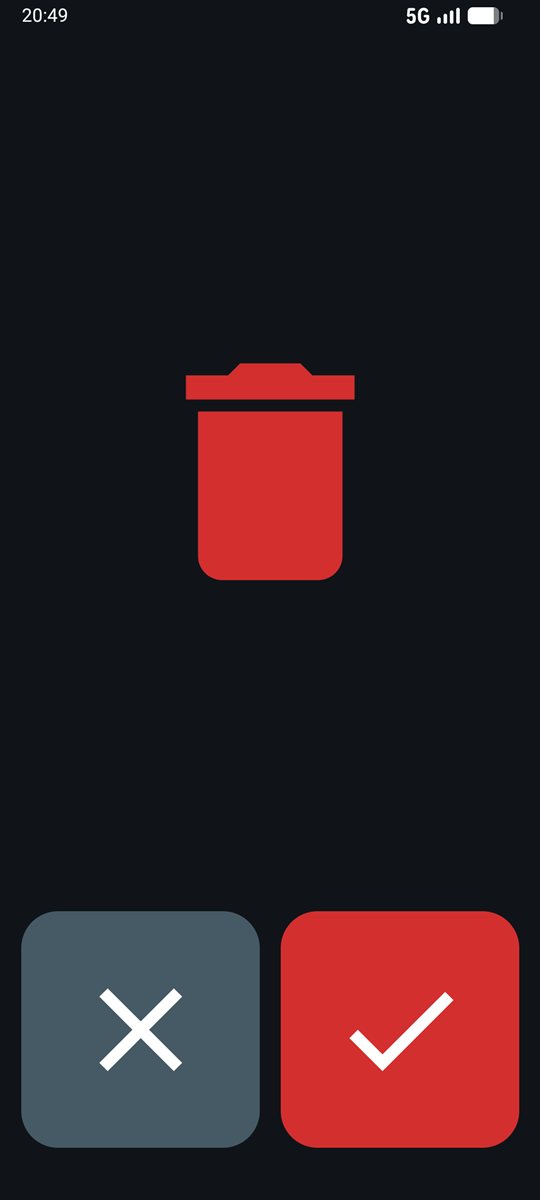
Even deleting something is done without reading: a bin, a ✗ and a ✓.
Exercises to keep the mind active
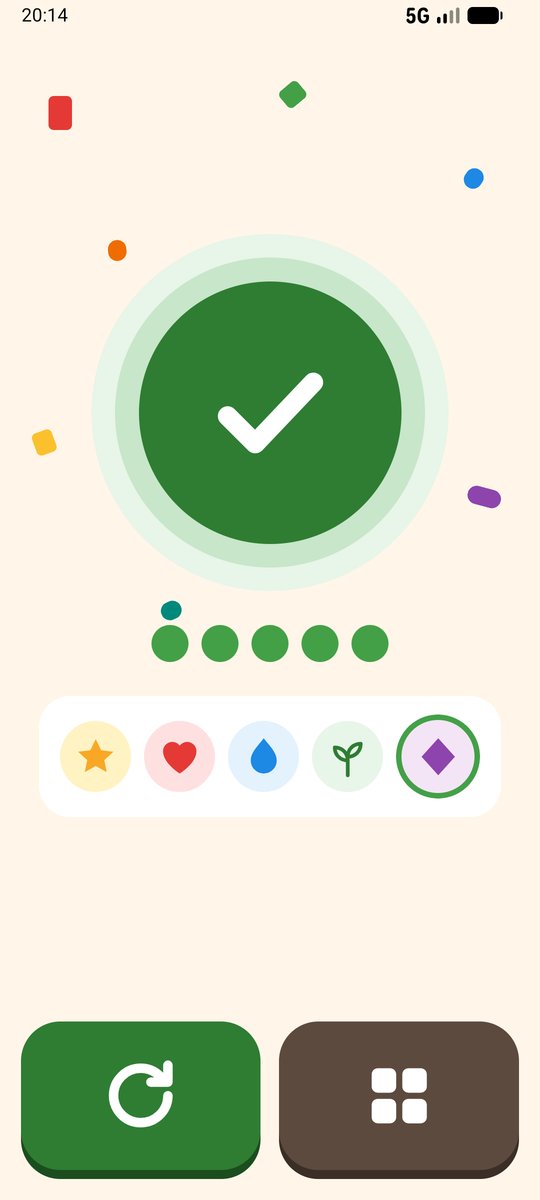
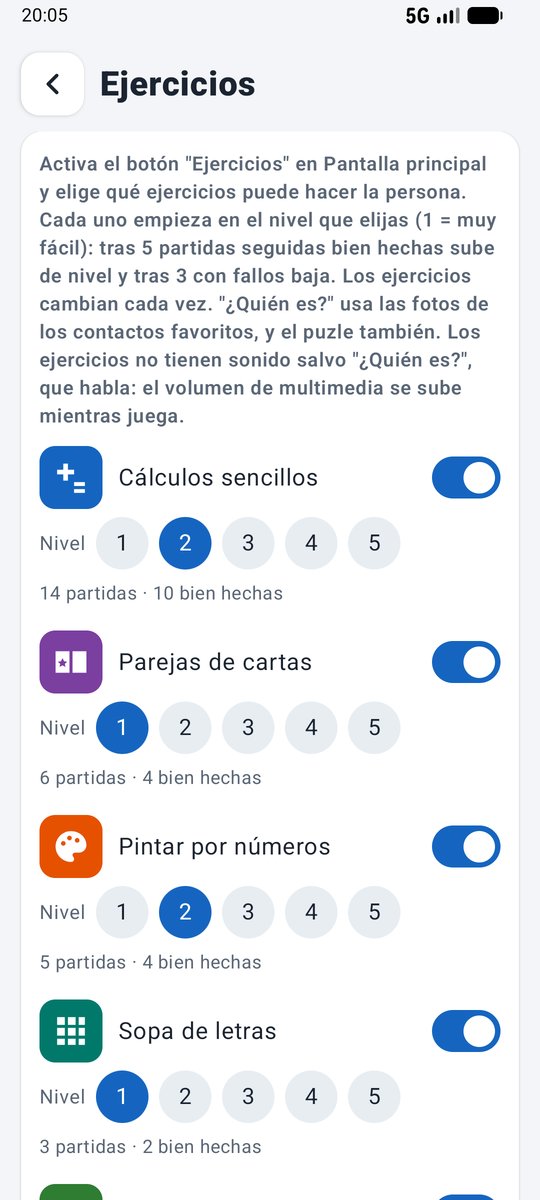
Designed for older people or people with memory difficulties: they change every round, have five levels that adjust automatically and make no noise. They are played in sets of 5 rounds with a prize at the end; mistakes are signalled with a vibration, and each round ends with an encouraging green ✓.
You set it up. Once.
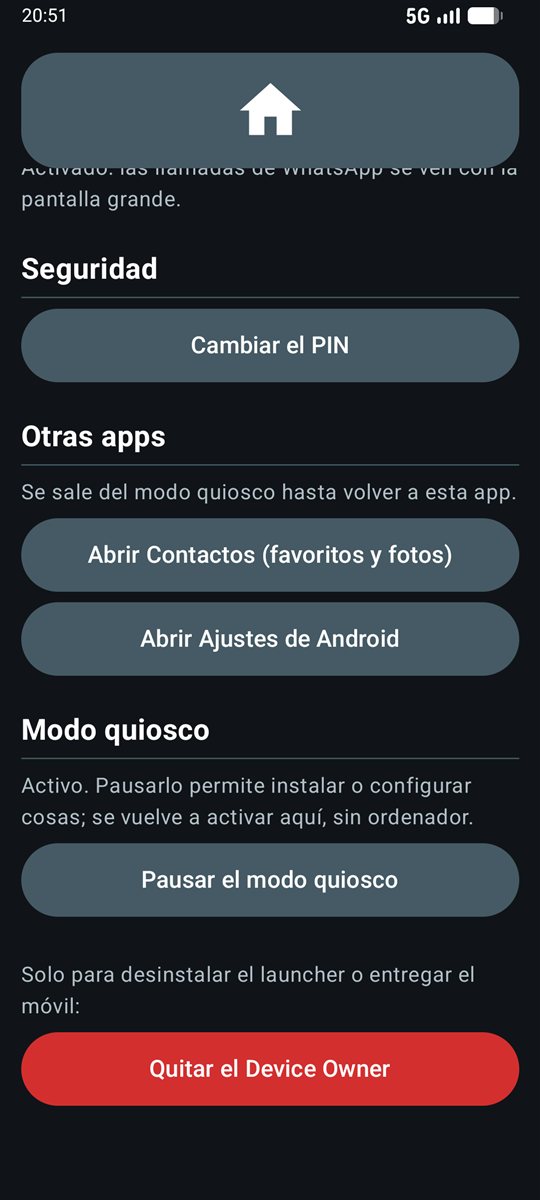
A hidden panel (hold the clock for 5 seconds), protected by a PIN. The person will never see it.
- People: add them with a photo in one form and reorder them by dragging.
- Decide who the SOS button calls, who can ask for the location and who has WhatsApp.
- Tailor the screen: move, enlarge or hide each button and choose the SOS picture.
- Mark their house, take a photo of the front door and choose the SMS alerts for "Go home".
- Turn on the exercises and the radio, and choose their levels and stations.
- Add their pills with a photo of each box and check in the history whether they have taken them.
- Turn on the camera, photos, the newspapers they want to read or listen to and the low battery warning.
- Turn on Full WhatsApp if they want to use chats and voice notes.
- Turn on Wi-Fi only if needed; by default it uses just the SIM.
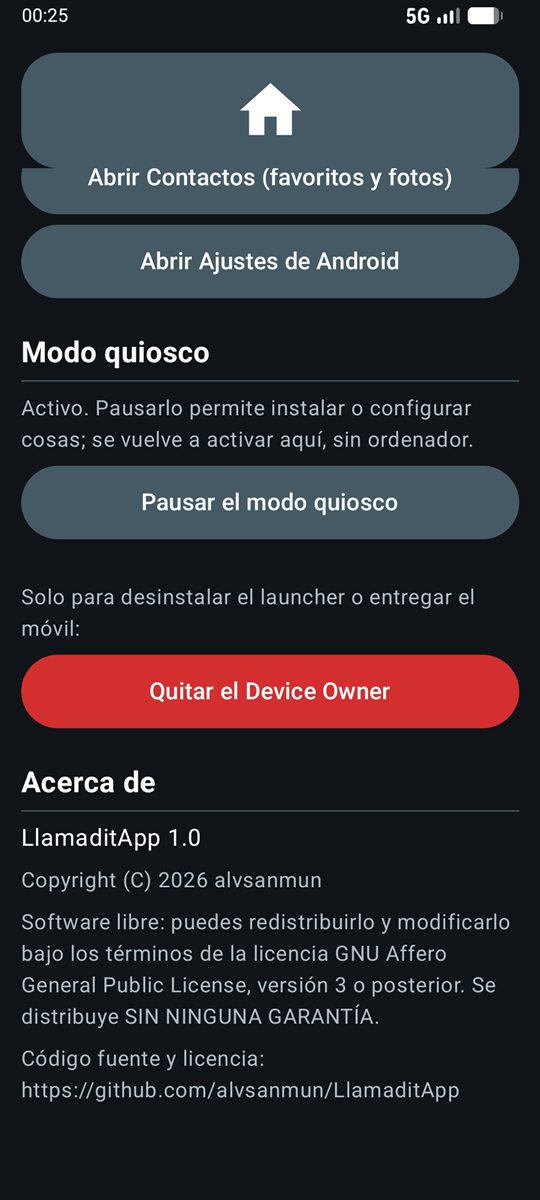
- Pause kiosk mode to install or change something: the phone works like a normal one until you turn it back on with one tap, without a computer. The panel's front page warns of what is missing.
Not living with the person? Manage the phone from yours
With the caregiver app (Android) or the caregiver website (computer) you can do almost everything the panel does without having the phone to hand. Both are in Spanish for now.
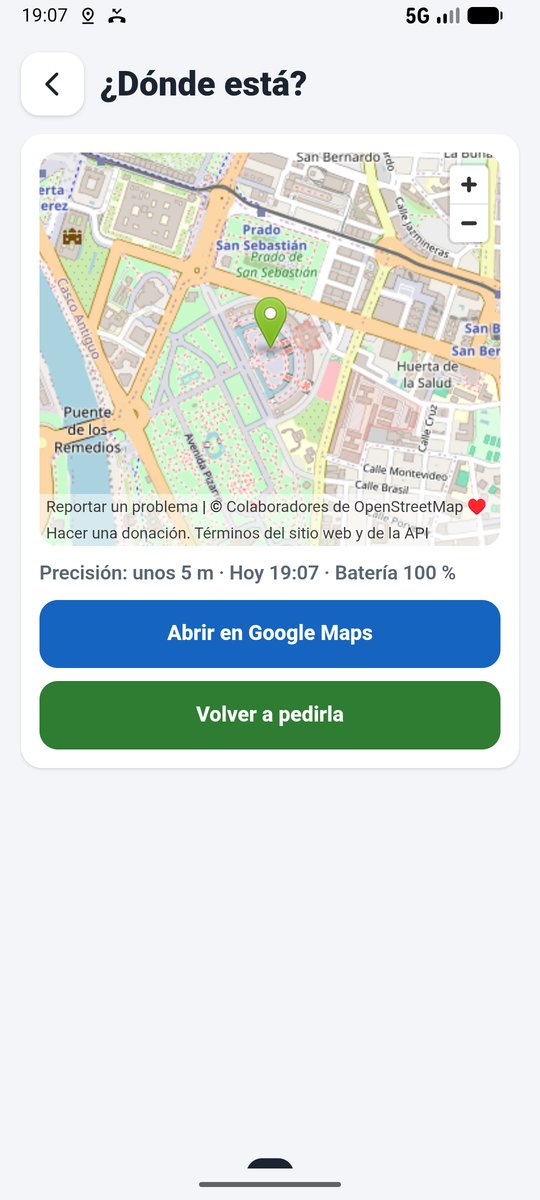
- Where is it? On a map, straight away, with the battery level.
- Make it ring for 30 seconds, even on silent, to find it at home.
- People, screen, SOS, Go home, exercises, radio, pills, newspapers and Wi-Fi.
- Pills: whether they have been confirmed, and the history of the last 30 days with a photo of each box.
- Turn kiosk mode back on if it was left paused when the phone was handed back.
- Activity: whether SOS has been pressed, whether they have got home or whether the battery is low.
Ready in four steps
Works on any phone with Android 8.0 or later. Turning on kiosk mode requires a computer, just once.
Prepare the phone
Factory-reset it, skip the accounts in the setup wizard and remove the SIM PIN.
Turn on USB debugging
Tap "Build number" 7 times and turn on "USB debugging".
Run the installer
Connect the phone to a Windows computer and double-click the installer: it installs the app and turns on kiosk mode, with no commands to type.
Set it up
Hold the clock for 5 seconds, create the PIN, add photos of their family and friends and tailor the screen. Add WhatsApp, "Go home", the exercises and the radio if they use them.
See the full guide, with screenshotsAlready have it? Update to the latest version
Everything is documented
The main guides are on this site. The code and the other guides are public on GitHub; those guides are in Spanish for now.
Step-by-step install
From a freshly reset phone to handing it over ready to use, in 13 steps with a screenshot of every screen.
Recommended settings
Android, SIM and WhatsApp settings so that everything works well.
Features
Every screen and every option of the caregiver panel, with screenshots.
Troubleshooting
Common errors and how to fix them.
For developers
How to build and sign the app, and how the code is organised.
Remote management
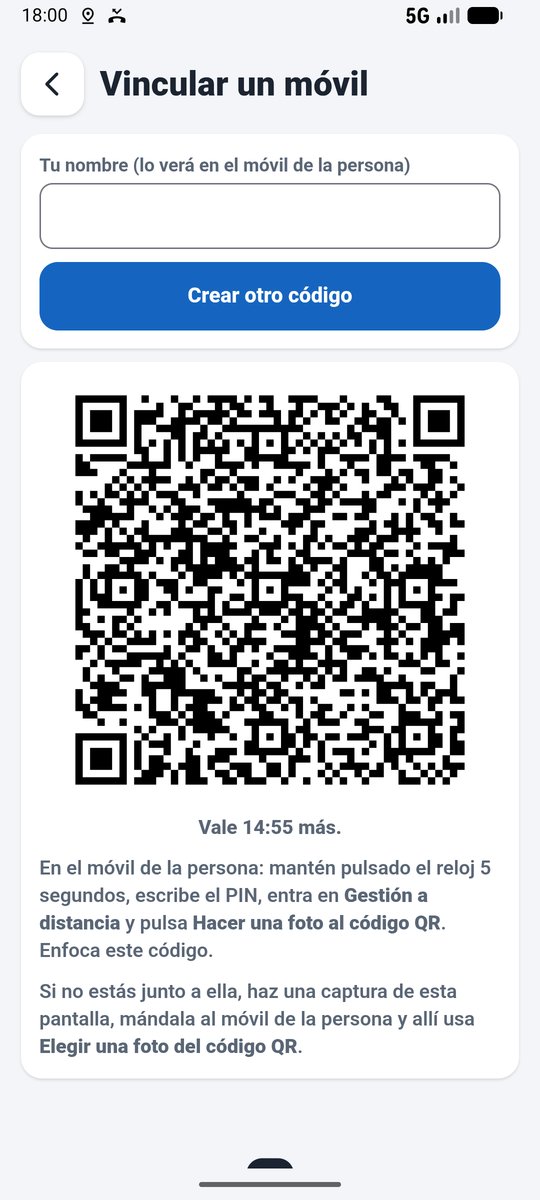
Create the family's Firebase project, install the caregiver app or website and link the phone.
Update
Move to the latest version without resetting the phone or losing contacts or settings.
Translate the app
How to add a language or review a translation (in Spanish).
Source code
Kotlin and Jetpack Compose. Browse it, download it or suggest improvements.
Available in 9 languages
The person does not need to read, but the caregiver panel, the on-screen notices and the SOS and location text messages use words. They are available in:
- EnglishEnglish · fallback language
- EspañolSpanish
- CatalàCatalan
- GalegoGalician
- EuskaraBasque
- PortuguêsPortuguese
- FrançaisFrench
- ItalianoItalian
- DeutschGerman
The app uses the phone's language and, if it is not on the list, it is shown in English. On Android 13 or later you can choose a different language just for LlamaditApp (Settings → Apps → LlamaditApp → Language). The keywords for requesting the location also follow the phone's language: LOCATION in English, UBICACION in Spanish…
Speak another language? Help translate it (guide in Spanish)
Free, open and transparent
LlamaditApp is released under the GNU AGPL v3 licence. The code is public: anyone can check what the app does with the phone's data.
- Use it on as many phones as you like, for free.
- Study and modify the code to suit whoever needs it.
- Share it, even modified, as long as you publish the code under the same licence.
- If you make your own version, please use another name so it is not confused with this one.
Copyright © 2026 alvsanmun. Distributed without any warranty. The legal notices are also in the app, in the "About" section of the caregiver panel.
Download LlamaditApp
Free, open source, no ads and no accounts. Download the Windows installer (or the APK file) for the latest version and install it by following the step-by-step guide.
What's in the download
- Instalador-LlamaditApp-Windows.zipTo install or update the app on the person's phone.
- LlamaditApp-….apkThe app, for those who use
adb. - LlamaditApp-Cuidador-….apkThe caregiver app, for your Android phone.
- Web-Cuidador-LlamaditApp.zipThe caregiver website, for a computer.
Common questions
Who is LlamaditApp for?
For people who cannot read, older people or people with cognitive disabilities, and in general anyone who gets lost on a normal phone. A relative or caregiver sets it up.
Does it work on any Android phone?
On any phone with Android 8.0 or later and a SIM card. It has been thoroughly tested on a Samsung Galaxy A16. On other brands, some system menus may have different names.
Is the app in English?
Yes. The caregiver panel and the text messages are available in English, Spanish, Catalan, Galician, Basque, Portuguese, French, Italian and German, and English is used for any other language. The screenshots on this site are from the Spanish version.
Can the person's location be tracked all the time?
No, on purpose. The phone only looks up its position when an authorised relative asks for it by text message, when SOS is pressed or, if the caregiver turns it on, during the "Go home" route (every 10 minutes, until arrival or for 2 hours at most). With remote management, also when a caregiver presses Where is it?. There is no continuous tracking.
Does it send my data to any server?
Not to LlamaditApp's authors: it has no server, no accounts of its own, no advertising and no analytics. The location only leaves the phone by text message, straight to the relative's phone. If the caregiver chooses to use a Google account for the contacts, or the person uses the "Go home" route, that data is handled by Google, as on any phone. If you turn on remote management, the phone stores a copy of its settings, its contacts and any requested locations in your family's Firebase project, and only the caregivers you link can see it. The photos the person takes stay on the phone: they are not sent anywhere.
Does SOS call the emergency number?
It calls the trusted relative, who is best placed to help and knows where the person is. Android does not let an app call the emergency number (112 in Europe) on its own; if no contact is set up, it opens the dialler with 112 already typed.
Is WhatsApp needed?
No. Calls, SOS and location work with just the SIM. WhatsApp is only needed for video calls and, since version 1.4, for full WhatsApp (chats, voice notes and photos) if the caregiver turns on its button.
What if they get lost in the street?
Since version 1.3, the caregiver can add the "Go home" button. It displays the address in large letters, to show to the police or a neighbour, and an arrow that starts a walking route on Google Maps with voice guidance. On arrival, the photo of the front door appears. If turned on, the SOS contact gets an SMS when the button is pressed and the person's location every 10 minutes during the route.
Do the text messages cost money?
It depends on the phone plan. SOS alerts, location replies and "Go home" alerts are sent by SMS: check with the operator that the plan includes them. The panel reminds you and asks for confirmation when you turn on the optional alerts.
Can it use Wi-Fi?
Yes, since version 1.3. By default it uses just the SIM and nobody can turn Wi-Fi on, but the caregiver can enable it in the panel and choose a network. When turned off, it is locked again.
Which exercises are there? Do they need to read?
Since version 1.5 there are eight: simple maths, pairs of cards, paint by numbers, word search, "Who is it?" (with family photos), repeat the sequence, counting money and a photo puzzle. Only the word search needs reading, and the caregiver can turn off any that do not suit the person. Each has five levels that go up and down automatically, and they make no noise except "Who is it?", which says the name.
Can I manage the phone remotely?
Yes, if you want to, since version 1.8. With the caregiver app (Android) or website (computer) you can see where it is, make it ring and edit contacts, photos, the SOS settings and the home screen. Each family creates its own Firebase project, free and with no credit card, in about 15 minutes: it is all in the remote management guide.
Is there a caregiver app for iPhone?
For now, the caregiver app is Android only. If you have an iPhone, use the caregiver website on a computer.
Does it need the internet?
Not for the basics: calls, SOS and location by text work with just the SIM. The internet is used by WhatsApp, the "Go home" route, Google contacts, the radio (about 30 to 60 MB per hour), the newspapers (a few MB each time one is opened) and remote management (very little). The camera, photos, pill reminders and the low battery warning work without the internet.
What if I forget the caregiver PIN?
For security it cannot be recovered: you would have to factory-reset the phone and install the app again. Write it down somewhere safe.
Can I modify it or use its code?
Yes. It is free software under the GNU AGPL v3 licence: you can study, modify and share it. If you distribute a modified version, you must also publish its code under the same licence, and we ask you to give it another name.
Why is it called LlamaditApp?
From the Spanish "llamadita", a quick little phone call, as in "give grandma a quick call". That is what it is for: so that someone who cannot manage a normal phone can talk to their loved ones.
How do I update to a new version?
With the same Windows installer, in about 10 minutes and without resetting the phone: contacts, the PIN, the settings, WhatsApp and kiosk mode are all kept. You can skip versions. The caregiver app and website are updated separately, and the phone stays linked. It is explained step by step in Update to the latest version.
Can it be removed later?
Yes. Kiosk mode is turned off from the caregiver panel, and the app is uninstalled like any other.